<?xml version="1.0" encoding="UTF-8"?>
<feed xmlns="http://www.w3.org/2005/Atom" xml:lang="">
                        <id>https://veememedia.support-hub.io/feed/650</id>
                                <link href="https://veememedia.support-hub.io/feed/650" rel="self"></link>
                                <title><![CDATA[Ushort.io Article Feed]]></title>
                    
                                <subtitle></subtitle>
                                                    <updated>2022-11-01T19:40:35+00:00</updated>
                        <entry>
            <title><![CDATA[QUICK PAGE]]></title>
            <link rel="alternate" href="https://veememedia.support-hub.io/articles/quick-page-1127" />
            <id>https://veememedia.support-hub.io/1127</id>
            <author>
                <name><![CDATA[Veeme Support]]></name>
            </author>
            <summary type="html">
                <![CDATA[<p><b><i>UNDER DEVELOPMENT AT THE MOMENT</i></b></p><p><br /></p><p>A custom quick page is a transitional page where you can add a banner and an avatar along with a message to represent your brand or company. You can have unlimited splash pages and you can choose one for each URL.</p><p><br /></p><p>A custom splash page is a transitional page where you can add a banner and an avatar along with a message to represent your brand or company. You can have up to a maximum of 5 splash pages and you can choose one for each URL.</p>]]>
            </summary>
                                    <updated>2020-08-04T00:02:04+00:00</updated>
        </entry>
            <entry>
            <title><![CDATA[CUSTOM CTA]]></title>
            <link rel="alternate" href="https://veememedia.support-hub.io/articles/custom-cta-1128" />
            <id>https://veememedia.support-hub.io/1128</id>
            <author>
                <name><![CDATA[Veeme Support]]></name>
            </author>
            <summary type="html">
                <![CDATA[<p>Call To Action allows you to display a small non-intrusive overlay on the destination website to advertise your product or your services. You can also use this feature to send a message to your users. You can customize the message and the appearance of the overlay right from this page. As soon as you save it, the changes will be applied immediately across all your URLs using this type. Please note that some secured and sensitive websites such as google.com or facebook.com do not work with this feature. You can have unlimited overlay pages and you can choose one for each URL.</p><p><br /></p><p><br /></p>]]>
            </summary>
                                    <updated>2019-08-16T19:03:12+00:00</updated>
        </entry>
            <entry>
            <title><![CDATA[What are tracking pixels?]]></title>
            <link rel="alternate" href="https://veememedia.support-hub.io/articles/what-are-tracking-pixels-1129" />
            <id>https://veememedia.support-hub.io/1129</id>
            <author>
                <name><![CDATA[Veeme Support]]></name>
            </author>
            <summary type="html">
                <![CDATA[<p>Ad platforms such as Facebook and Adwords provide a conversion tracking tool to allow you to gather data on your customers and how they behave on your website. By adding your pixel ID from either of the platforms, you will be able to optimize marketing simply by using short URLs.</p>]]>
            </summary>
                                    <updated>2019-08-16T19:03:53+00:00</updated>
        </entry>
            <entry>
            <title><![CDATA[Facebook Pixel]]></title>
            <link rel="alternate" href="https://veememedia.support-hub.io/articles/facebook-pixel-1130" />
            <id>https://veememedia.support-hub.io/1130</id>
            <author>
                <name><![CDATA[Veeme Support]]></name>
            </author>
            <summary type="html">
                <![CDATA[<p>Facebook pixel makes conversion tracking, optimization and remarketing easier than ever. The Facebook pixel ID is usually composed of 16 digits. Please make sure to add the correct value otherwise events will not be tracked!</p><p>e.g. 1234567890123456</p>]]>
            </summary>
                                    <updated>2019-08-16T19:04:24+00:00</updated>
        </entry>
            <entry>
            <title><![CDATA[Google Adwords Conversion Pixel]]></title>
            <link rel="alternate" href="https://veememedia.support-hub.io/articles/google-adwords-conversion-pixel-1131" />
            <id>https://veememedia.support-hub.io/1131</id>
            <author>
                <name><![CDATA[Veeme Support]]></name>
            </author>
            <summary type="html">
                <![CDATA[<p>With AdWords conversion tracking, you can see how effectively your ad clicks lead to valuable customer activity. The Adwords pixel ID is usually composed of AW followed by 11 digits followed by 19 mixed characters. Please make sure to add the correct value otherwise events will not be tracked!</p><p>e.g. AW-12345678901/ABCDEFGHIJKLMOPQRST</p>]]>
            </summary>
                                    <updated>2019-08-16T19:04:49+00:00</updated>
        </entry>
            <entry>
            <title><![CDATA[LinkedIn Insight Tag]]></title>
            <link rel="alternate" href="https://veememedia.support-hub.io/articles/linkedin-insight-tag-1132" />
            <id>https://veememedia.support-hub.io/1132</id>
            <author>
                <name><![CDATA[Veeme Support]]></name>
            </author>
            <summary type="html">
                <![CDATA[<p>The LinkedIn Insight Tag is a piece of lightweight JavaScript code that you can add to your website to enable in-depth campaign reporting and unlock valuable insights about your website visitors.You can use the LinkedIn Insight Tag to track conversions, retarget website visitors, and unlock additional insights about members interacting with your ads.!</p><p><br /></p><p>e.g. 123456</p>]]>
            </summary>
                                    <updated>2019-08-16T19:05:51+00:00</updated>
        </entry>
            <entry>
            <title><![CDATA[Twitter Pixel Tag]]></title>
            <link rel="alternate" href="https://veememedia.support-hub.io/articles/twitter-pixel-tag-1133" />
            <id>https://veememedia.support-hub.io/1133</id>
            <author>
                <name><![CDATA[Veeme Support]]></name>
            </author>
            <summary type="html">
                <![CDATA[<p>Conversion tracking for websites enables you to measure your return on investment by tracking the actions users take after viewing or engaging with your ads on Twitter.</p><p>e.g. 123456789</p><p><br /></p><p><br /></p>]]>
            </summary>
                                    <updated>2019-08-16T19:06:15+00:00</updated>
        </entry>
            <entry>
            <title><![CDATA[How to setup custom SUB domain]]></title>
            <link rel="alternate" href="https://veememedia.support-hub.io/articles/how-to-setup-custom-domain-1134" />
            <id>https://veememedia.support-hub.io/1134</id>
            <author>
                <name><![CDATA[Veeme Support]]></name>
            </author>
            <summary type="html">
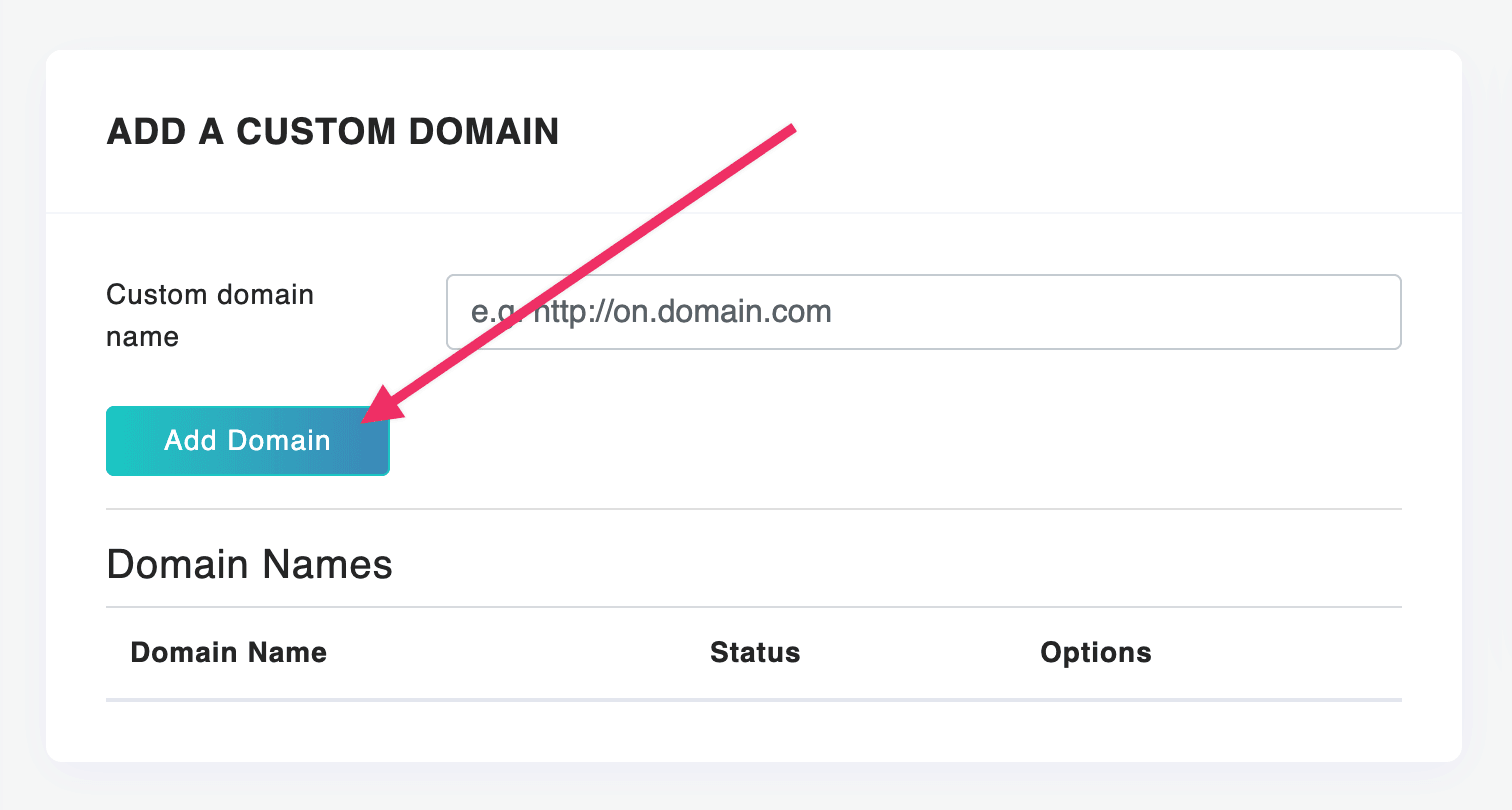
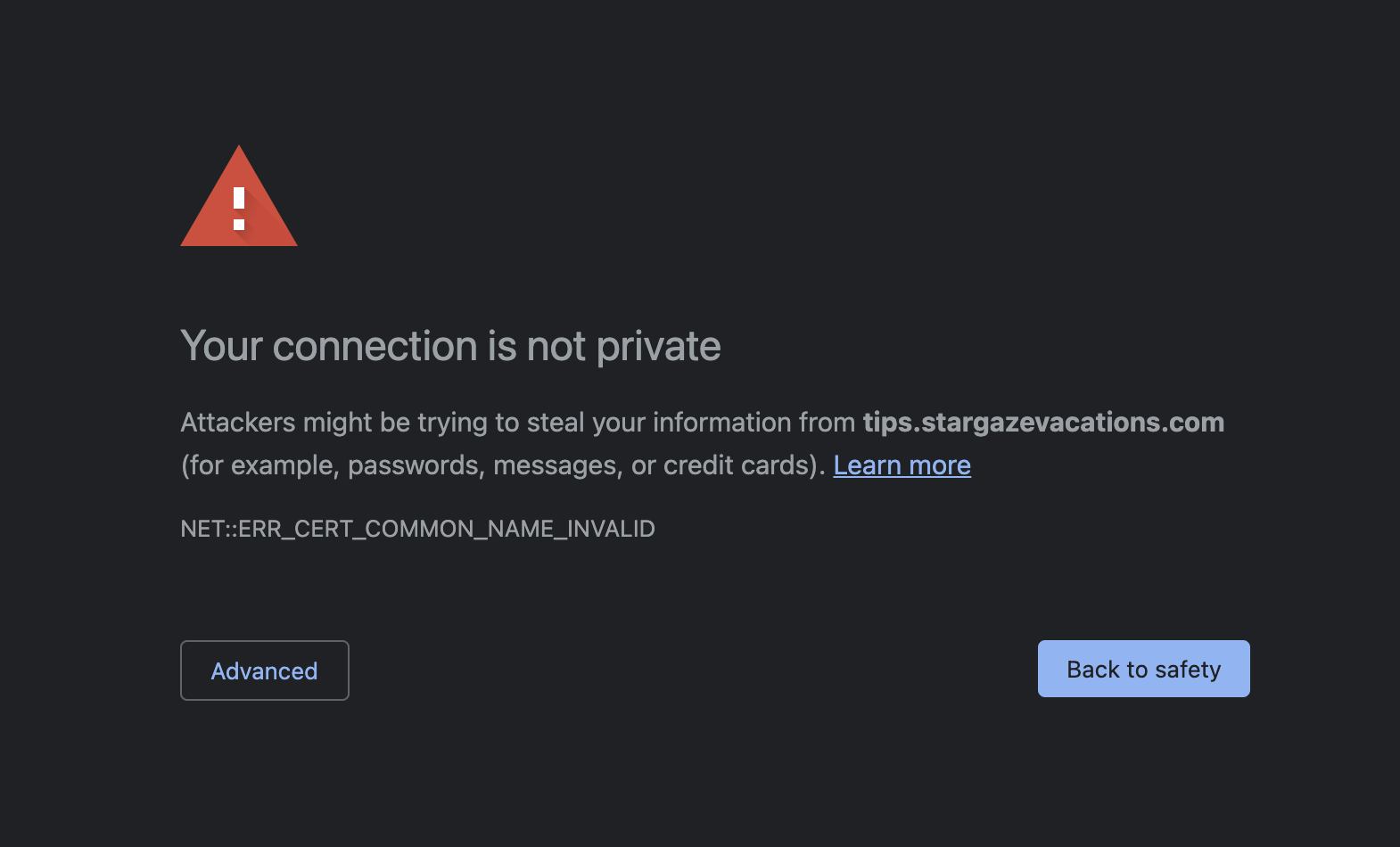
                <![CDATA[<p>How to setup your custom SUB domain with free Cloudflare. This method will have SSL (https) included. </p><p><br /></p><p><iframe src="//www.youtube.com/embed/CfpH7IvZA84" class="note-video-clip"></iframe><br /></p><p><br /></p><p>If you have a custom domain name that you want to use with our service, you can associate it with your account very easily. Once added, we will add the domain to your account and set it as the default domain name for your URLs. DNS changes could take up to 36 hours.</p><p>To point your subdomain name, create a CNAME record and set the value to ushort.io</p><p><br /></p><p><img src="https://support-hub--assets.s3.eu-west-2.amazonaws.com/assets/248/images/NCEmXBn9XBZ2yNk9yLjGVxrG2ZmII3ARfzRsEnpL.png" style="width:50%;float:none;" alt="NCEmXBn9XBZ2yNk9yLjGVxrG2ZmII3ARfzRsEnpL.png" /></p><p><br /></p><h4>*For SSL https, use Cloudflare. If you do not use Cloudflare please open a support ticket to add SSL to your added domain. </h4><p><br /></p><p><br /></p><p>If you see this message, don't panic. It just means we have to manually SSL domain. Please open a support ticket with the domain you have added.</p><p><img src="https://support-hub--assets.s3.eu-west-2.amazonaws.com/assets/248/images/GE5goMuz81H3YrzG7swTMon7vv9U8Et0lrRkH6tr.png" alt="GE5goMuz81H3YrzG7swTMon7vv9U8Et0lrRkH6tr.png" /></p><p><br /></p><p><i>If you plan to use the main domain. You need to point A record towards 107.173.87.3</i></p>]]>
            </summary>
                                    <updated>2022-11-01T19:37:51+00:00</updated>
        </entry>
            <entry>
            <title><![CDATA[Bookmarklet]]></title>
            <link rel="alternate" href="https://veememedia.support-hub.io/articles/bookmarklet-1135" />
            <id>https://veememedia.support-hub.io/1135</id>
            <author>
                <name><![CDATA[Veeme Support]]></name>
            </author>
            <summary type="html">
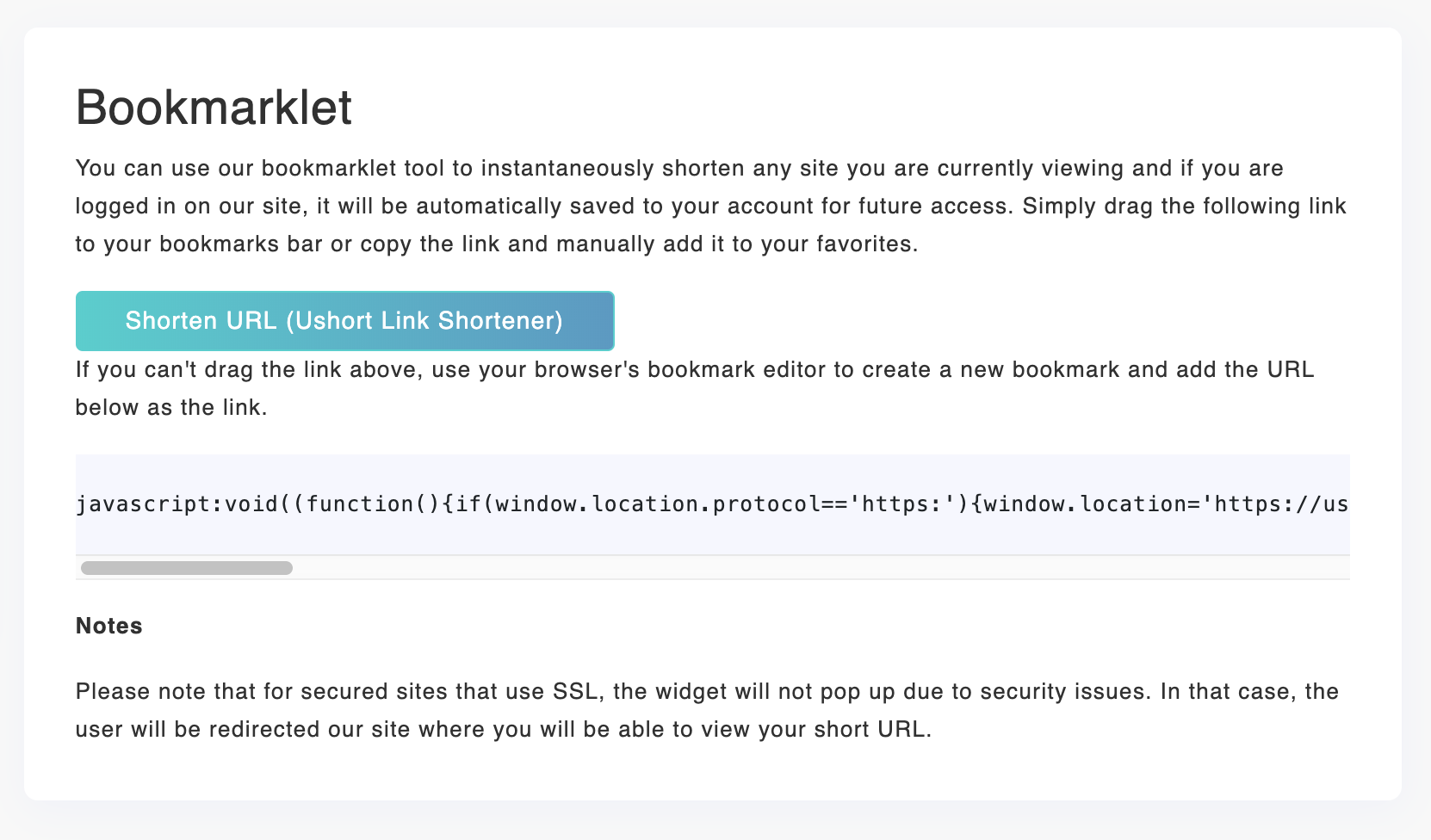
                <![CDATA[<p>You can use our bookmarklet tool to instantaneously shorten any site you are currently viewing and if you are logged in on our site, it will be automatically saved to your account for future access. Simply drag the following link to your bookmarks bar or copy the link and manually add it to your favorites.</p><p><br /></p><p><br /></p><p><img src="https://support-hub--assets.s3.eu-west-2.amazonaws.com/assets/248/images/a17RqGc017lm7VAmEsbafZ1ph2AVjaexTAxISBOg.png" style="width:50%;float:none;" alt="a17RqGc017lm7VAmEsbafZ1ph2AVjaexTAxISBOg.png" /><br /></p>]]>
            </summary>
                                    <updated>2019-08-16T19:09:48+00:00</updated>
        </entry>
            <entry>
            <title><![CDATA[API Usage in PHP]]></title>
            <link rel="alternate" href="https://veememedia.support-hub.io/articles/api-usage-in-php-1136" />
            <id>https://veememedia.support-hub.io/1136</id>
            <author>
                <name><![CDATA[Veeme Support]]></name>
            </author>
            <summary type="html">
                <![CDATA[<p>An API key is required for requests to be processed by the system. Once a user registers, an API key is automatically generated for this user. The API key must be sent with each request via the key parameter (see full example below). If the API key is not sent or is expired, there will be an error. Please make sure to keep your API key secret to prevent abuse.</p><p><br /></p><p>Your first integration</p><p>The example below shows you how to shorten a URL without any other parameters. You need to get your API key from the settings page of the user control panel</p><p><br /></p><p>include("Shortener.php");</p><p><br /></p><p>$shortener = new kbrmedia\Shortener();</p><p><br /></p><p>// Set the URL &amp; API key</p><p>$shortener-&gt;setURL("http://ushort.io/api");</p><p>$shortener-&gt;setKey("APIKEY");</p><p><br /></p><p>// Simple call</p><p>echo $shortener-&gt;shorten("https://ushort.io");</p><p>Get short URL directly</p><p>To get the Short URL directly without having to deal with JSON you can chain the toText() method as below</p><p><br /></p><p>// Get short URL directly</p><p>echo $shortener-&gt;toText()-&gt;shorten("https://ushort.io");</p><p>Advanced Call</p><p>To customize the URL, you can use the below to set a custom alias and the format - which in this case is in text</p><p><br /></p><p>// Custom Alias</p><p>$shortener-&gt;setCustom("ushort");</p><p><br /></p><p>// Set Type</p><p>$shortener-&gt;setType("frame");</p><p><br /></p><p>// Set Password</p><p>$shortener-&gt;setPassword("123456");</p><p><br /></p><p>// Format: text or json</p><p>$shortener-&gt;setFormat("text");</p><p><br /></p><p>echo $shortener-&gt;shorten("https://ushort.io");</p><p>Get detail or data for a short URL</p><p>This sample allows you to unshorten a URL and some data</p><p><br /></p><p>var_dump($shortener-&gt;details("ushort"));</p><p>Get all of your URLs on your account</p><p>This sample allows you to get all of your URLs in your account. It has two parameters: sort [date or click] and limit (number of urls)</p><p><br /></p><p>var_dump($shortener-&gt;urls());</p>]]>
            </summary>
                                    <updated>2020-08-03T23:57:12+00:00</updated>
        </entry>
            <entry>
            <title><![CDATA[Coupon code does not work]]></title>
            <link rel="alternate" href="https://veememedia.support-hub.io/articles/coupon-code-does-not-work-1678" />
            <id>https://veememedia.support-hub.io/1678</id>
            <author>
                <name><![CDATA[Veeme Support]]></name>
            </author>
            <summary type="html">
                <![CDATA[<p>Please provide all the details needed to verify your purchase.</p><p><br /></p><p>Ushort registered email:</p><p>Code: </p><p>Plan purchased:</p><p>Screenshot of purchase:</p>]]>
            </summary>
                                    <updated>2020-02-01T18:36:49+00:00</updated>
        </entry>
            <entry>
            <title><![CDATA[Developer API documentation]]></title>
            <link rel="alternate" href="https://veememedia.support-hub.io/articles/developer-api-documentation-1938" />
            <id>https://veememedia.support-hub.io/1938</id>
            <author>
                <name><![CDATA[Veeme Support]]></name>
            </author>
            <summary type="html">
                <![CDATA[<p>Documentation on how to use Premium URL Shortener's API system to develop your apps. The new API of Ushort is built on the RESTful architecture and it allows you to easily interact with your website using the following endpoints. There were some changes to the API in order to facilitate requests from developers.</p><p><br /></p><p><b>Authentication</b></p><p>As before, an API key is required for requests to be processed by the system. Once a user registers, an API key is automatically generated for this user and it can be found in the /user/tools page. The API key must be sent with each request via the key parameter.</p><p><br /></p><p><b>Response Handling</b></p><p>All API responses are returned in JSON format by default. To convert this into usable data, the appropriate function will need to be used according to the language. In PHP, the function json_decode() can be used to convert the data to either an object (default) or an array (set the second parameter to true). It is very important to check the error key as that provides information on whether there was an error or not.</p>]]>
            </summary>
                                    <updated>2020-08-03T23:55:32+00:00</updated>
        </entry>
            <entry>
            <title><![CDATA[Custom domain - Warning message Your connection is not private]]></title>
            <link rel="alternate" href="https://veememedia.support-hub.io/articles/custom-domain-warning-message-your-connection-is-not-private-2573" />
            <id>https://veememedia.support-hub.io/2573</id>
            <author>
                <name><![CDATA[Veeme Support]]></name>
            </author>
            <summary type="html">
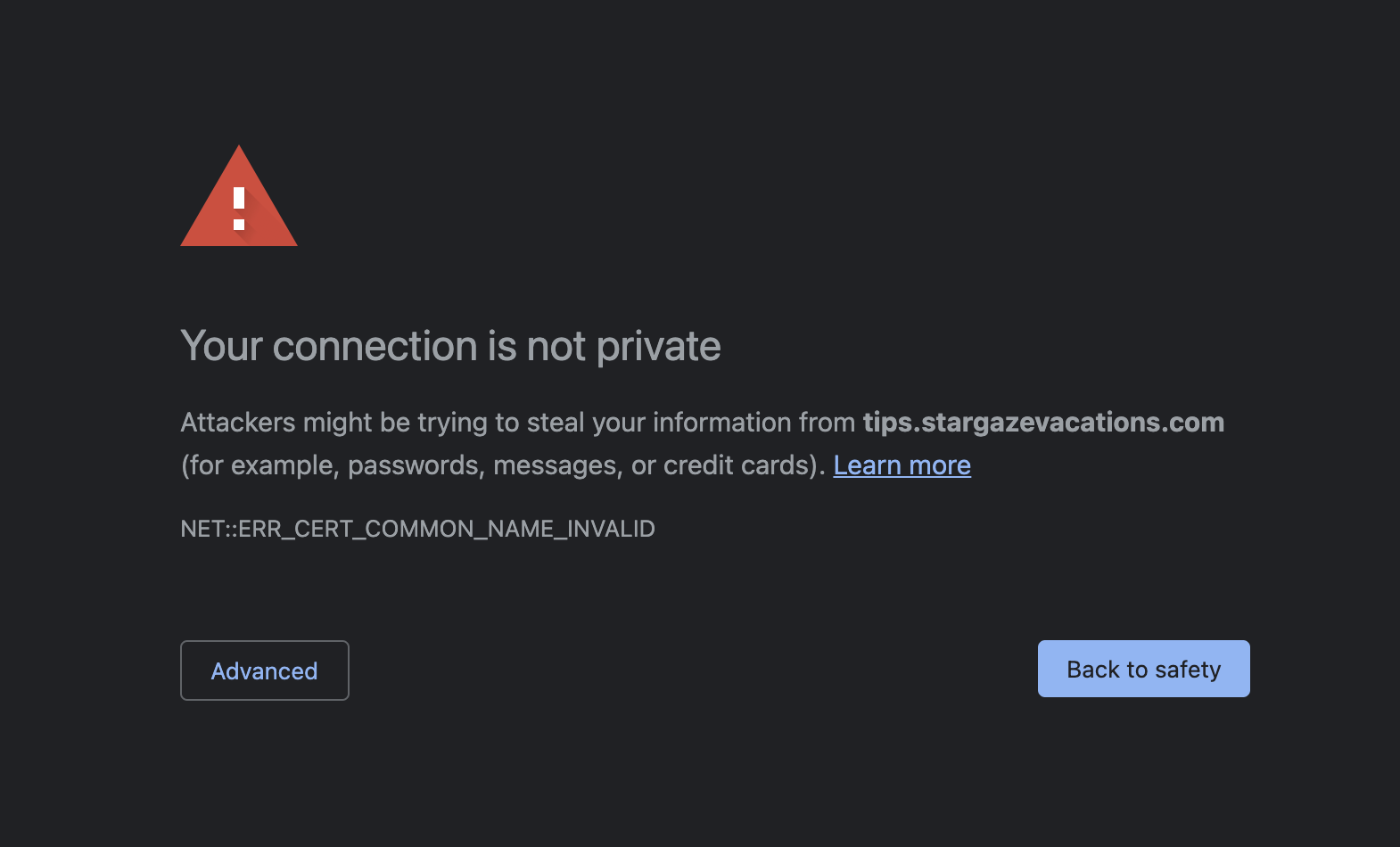
                <![CDATA[<p>If you see this message, don't panic. It just means we have to manually SSL domain. Please open a support ticket with the domain you have added.<br /></p><p><br /></p><p><img src="https://support-hub--assets.s3.eu-west-2.amazonaws.com/assets/248/images/LBNLGF4KQpVChmolbbMD4gH4sGHrUtvF6Y0bqOxX.png" alt="LBNLGF4KQpVChmolbbMD4gH4sGHrUtvF6Y0bqOxX.png" /><br /></p>]]>
            </summary>
                                    <updated>2021-06-16T05:28:09+00:00</updated>
        </entry>
            <entry>
            <title><![CDATA[Setup for Custom Domain]]></title>
            <link rel="alternate" href="https://veememedia.support-hub.io/articles/setup-for-custom-domain-2691" />
            <id>https://veememedia.support-hub.io/2691</id>
            <author>
                <name><![CDATA[Veeme Support]]></name>
            </author>
            <summary type="html">
                <![CDATA[<p>If you plan to use a main domain for link shortening, you must point the A record towards 107.173.87.3</p><p><br /></p><p><br /></p><p><b><i>Once the domain is pointing correctly. Notify us by opening a support ticket, so we can SSL the domain. </i></b></p>]]>
            </summary>
                                    <updated>2022-11-01T19:40:35+00:00</updated>
        </entry>
    </feed>