<?xml version="1.0" encoding="UTF-8"?>
<feed xmlns="http://www.w3.org/2005/Atom" xml:lang="">
                        <id>https://veememedia.support-hub.io/feed/731</id>
                                <link href="https://veememedia.support-hub.io/feed/731" rel="self"></link>
                                <title><![CDATA[SEsocial Article Feed]]></title>
                    
                                <subtitle></subtitle>
                                                    <updated>2020-06-29T00:45:37+00:00</updated>
                        <entry>
            <title><![CDATA[How to install script on site?]]></title>
            <link rel="alternate" href="https://veememedia.support-hub.io/articles/install-script-on-site-1897" />
            <id>https://veememedia.support-hub.io/1897</id>
            <author>
                <name><![CDATA[Nemfa Pitogo]]></name>
            </author>
            <summary type="html">
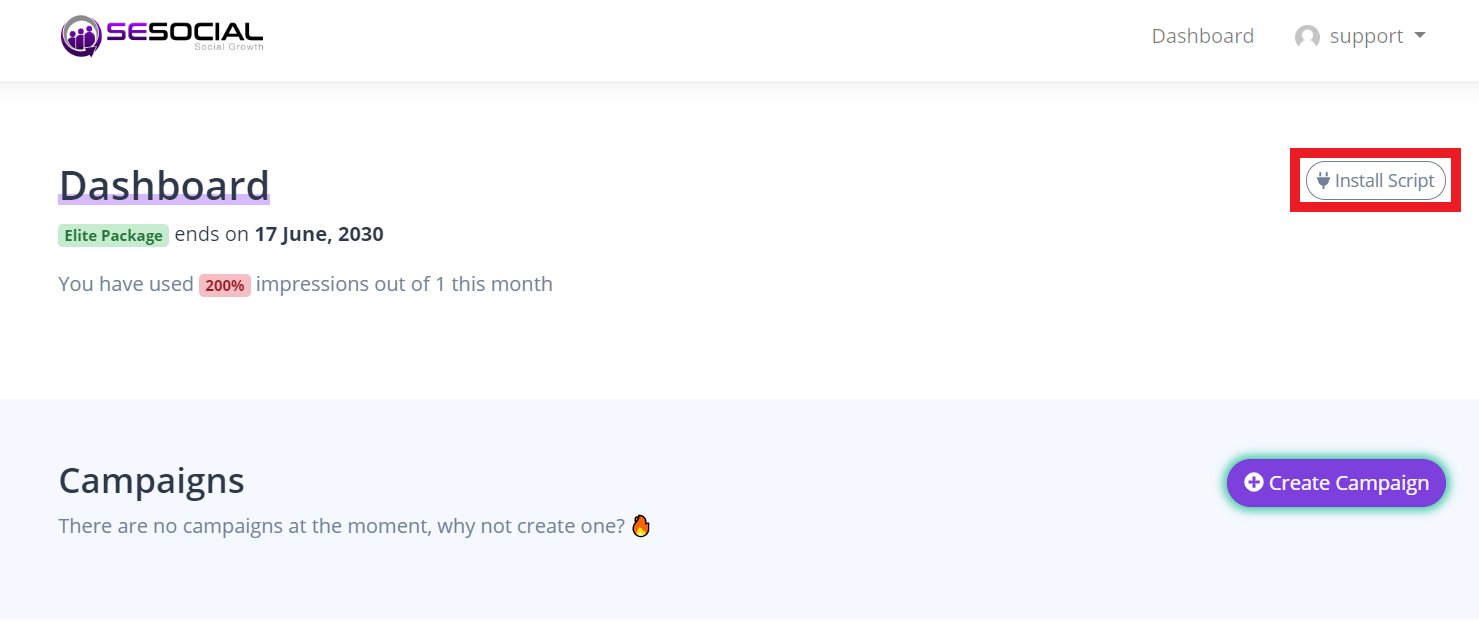
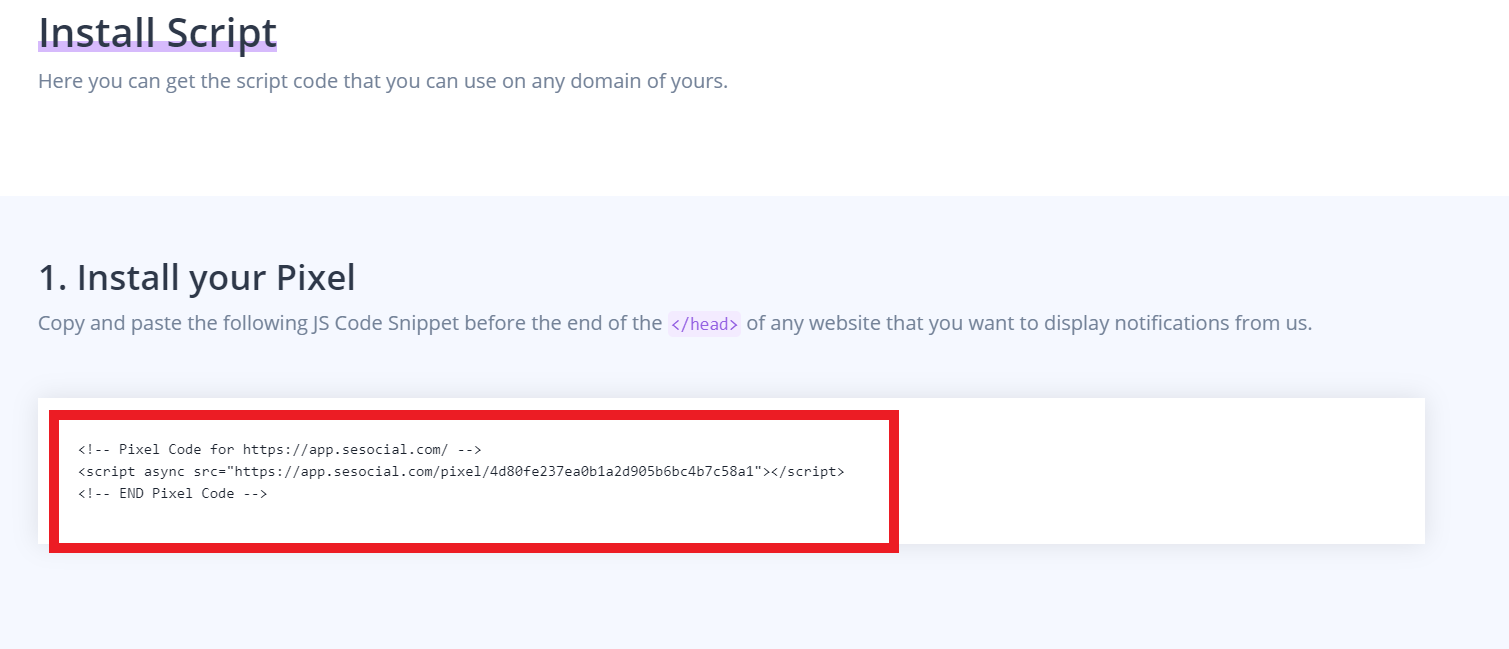
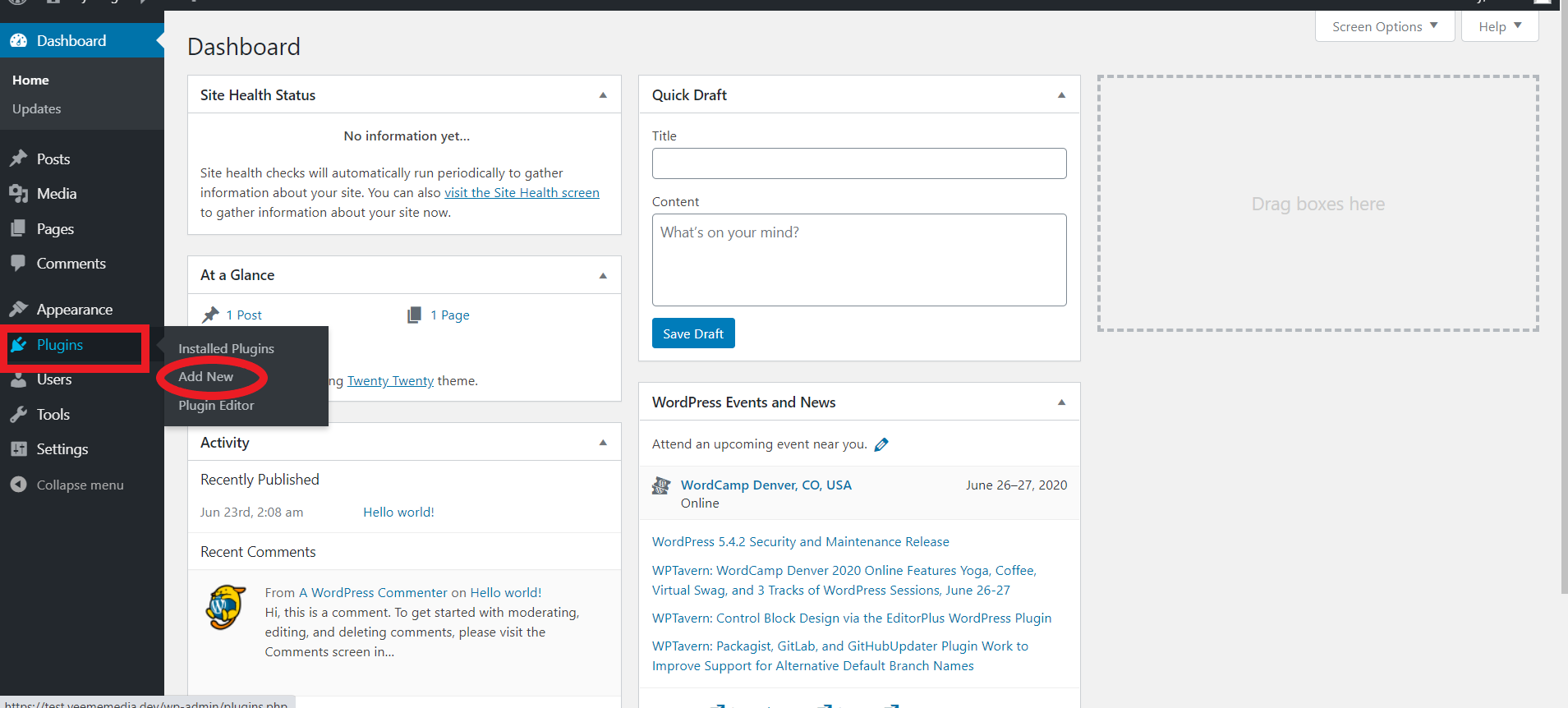
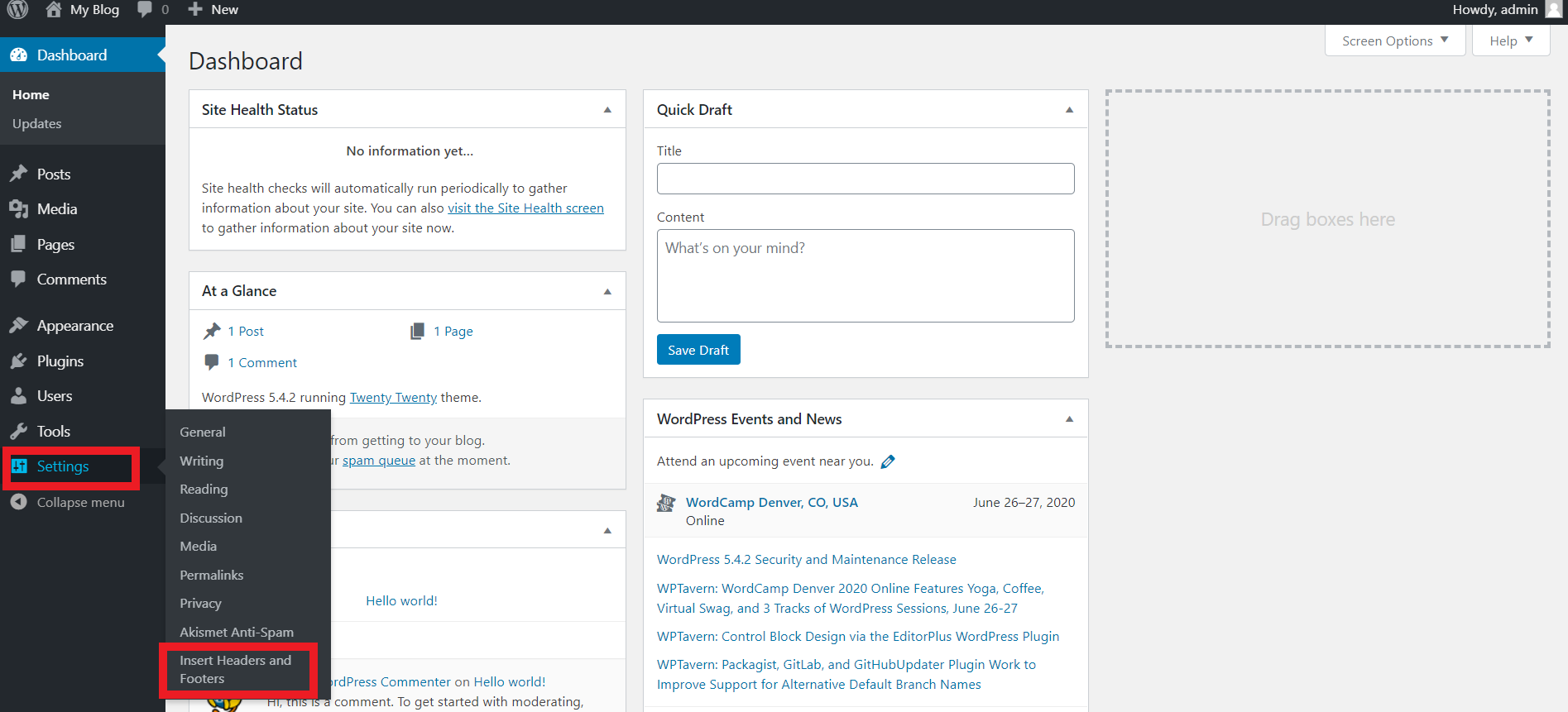
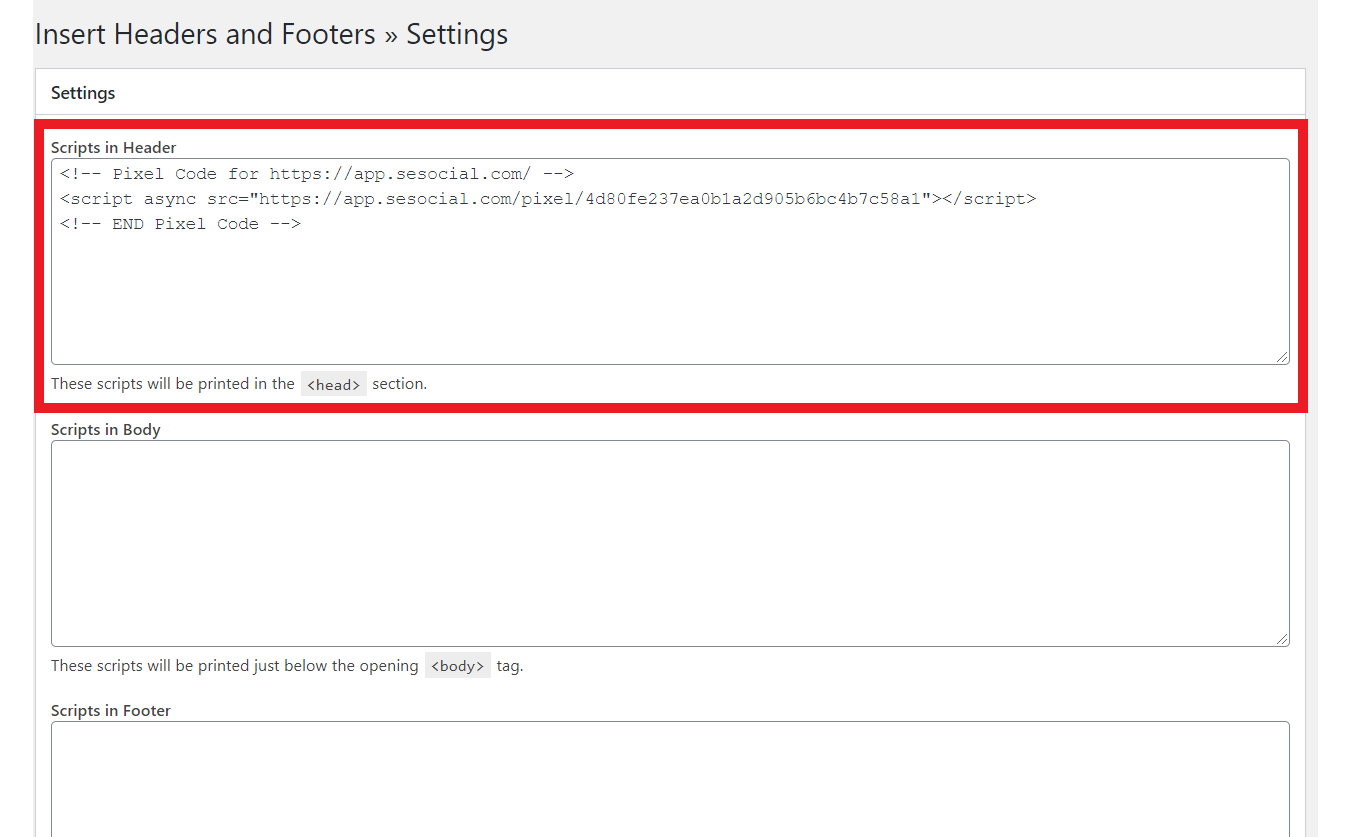
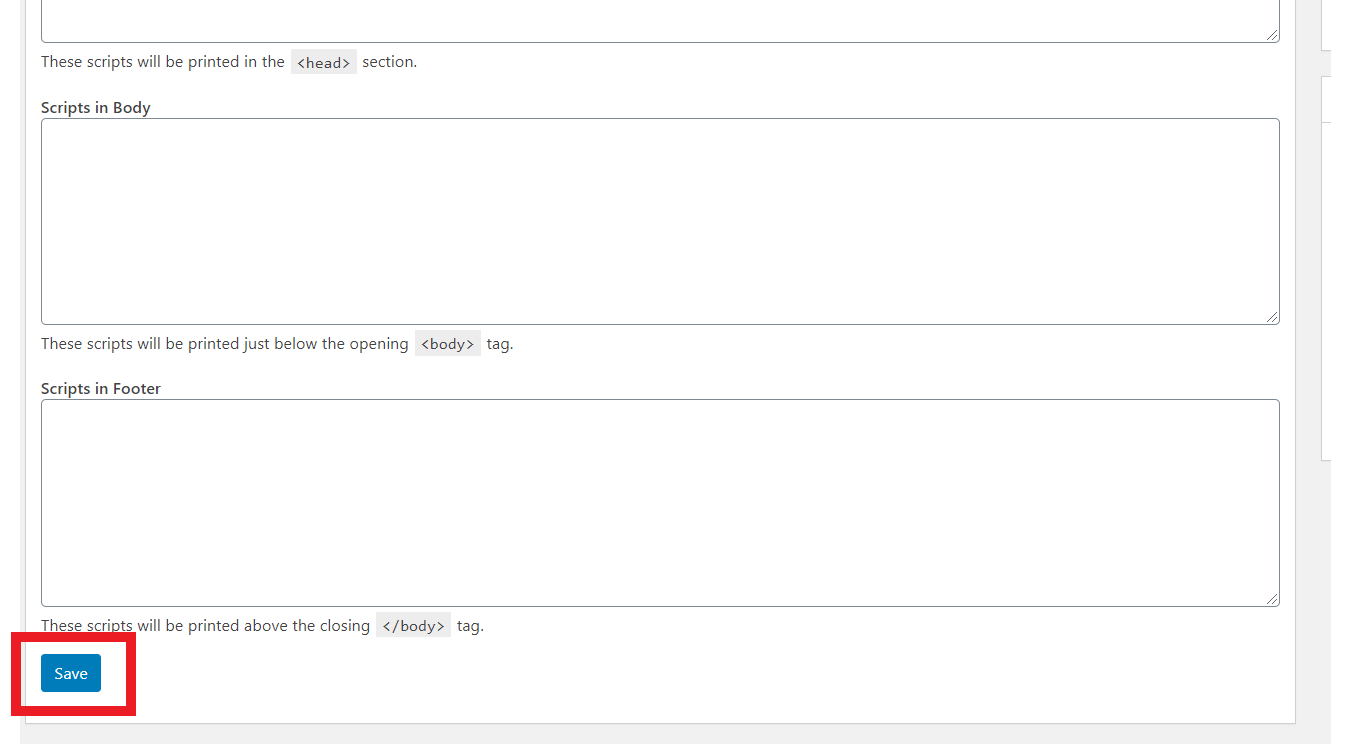
                <![CDATA[<p><br /></p><p>Click "Install script" on your dashboard.</p><p><img src="https://support-hub--assets.s3.eu-west-2.amazonaws.com/assets/248/images/iT1ITsVu6eWjqyGql9Fv2AV4nlXv4Z1sPMUwNgxI.png" style="width:526.704px;height:224px;" alt="iT1ITsVu6eWjqyGql9Fv2AV4nlXv4Z1sPMUwNgxI.png" /></p><p><br /></p><p>Copy this script.</p><p><img src="https://support-hub--assets.s3.eu-west-2.amazonaws.com/assets/248/images/ElVdq4rlauRfqFvTWAjh5mOR3D8WJqekX7PUYToG.png" style="width:691.07px;height:297.2px;" alt="ElVdq4rlauRfqFvTWAjh5mOR3D8WJqekX7PUYToG.png" /></p><p><br /></p><p>Then go to your Wordpress account and click "Plugins" and " Add New"</p><p><img src="https://support-hub--assets.s3.eu-west-2.amazonaws.com/assets/248/images/PmaMOT01urWL5l62zlmyq08K14FGQk4JMREtSH4r.png" style="width:591.327px;height:267px;" alt="PmaMOT01urWL5l62zlmyq08K14FGQk4JMREtSH4r.png" /></p><p><br /></p><p>Then Install this Plugin.</p><p><img src="https://support-hub--assets.s3.eu-west-2.amazonaws.com/assets/248/images/AZMfgsnhxxm5sZl5VQBLOW0T519R4Yin1yehk6iT.png" style="width:762.616px;height:85.2px;" alt="AZMfgsnhxxm5sZl5VQBLOW0T519R4Yin1yehk6iT.png" /><br /></p><p><br /></p><p>After installing the plugin. Click "Settings" and you can see the plugin.</p><p><img src="https://support-hub--assets.s3.eu-west-2.amazonaws.com/assets/248/images/v0VC48syFvF33EYCA1rJcDEDX99Xey9ADN0XtMfC.png" style="width:546.271px;height:248.2px;" alt="v0VC48syFvF33EYCA1rJcDEDX99Xey9ADN0XtMfC.png" /></p><p><br /></p><p><br /></p><p>Paste the Script that you copied earlier.</p><p><img src="https://support-hub--assets.s3.eu-west-2.amazonaws.com/assets/248/images/0adbBo8SRDeyKWM3eFOaIeVGQSeeTUyQwTQdxaVZ.png" style="width:520.2px;height:322.515px;" alt="0adbBo8SRDeyKWM3eFOaIeVGQSeeTUyQwTQdxaVZ.png" /></p><p><br /></p><p>And Click Save in the bottom.</p><p><img src="https://support-hub--assets.s3.eu-west-2.amazonaws.com/assets/248/images/3pzxztV6MBsT0DF54O6AiH5nyFhQnZgbuxZIH4sl.png" style="width:592.2px;height:326.36px;" alt="3pzxztV6MBsT0DF54O6AiH5nyFhQnZgbuxZIH4sl.png" /><br /></p><p><br /></p><p><br /></p><p><br /></p><p><br /></p><p><br /></p><p><br /></p><p><br /></p><p><br /></p><p><br /></p><p><br /></p><p><br /></p><p><br /></p><p><br /></p><p><br /></p><p><br /></p><p><br /></p><p><br /></p><p><br /></p><p><br /></p><p><br /></p><p><br /></p><p><br /></p><p><br /></p><p><br /></p><p><br /></p>]]>
            </summary>
                                    <updated>2020-06-29T00:43:21+00:00</updated>
        </entry>
            <entry>
            <title><![CDATA[How to create campaign?]]></title>
            <link rel="alternate" href="https://veememedia.support-hub.io/articles/how-to-create-campaign-1898" />
            <id>https://veememedia.support-hub.io/1898</id>
            <author>
                <name><![CDATA[Nemfa Pitogo]]></name>
            </author>
            <summary type="html">
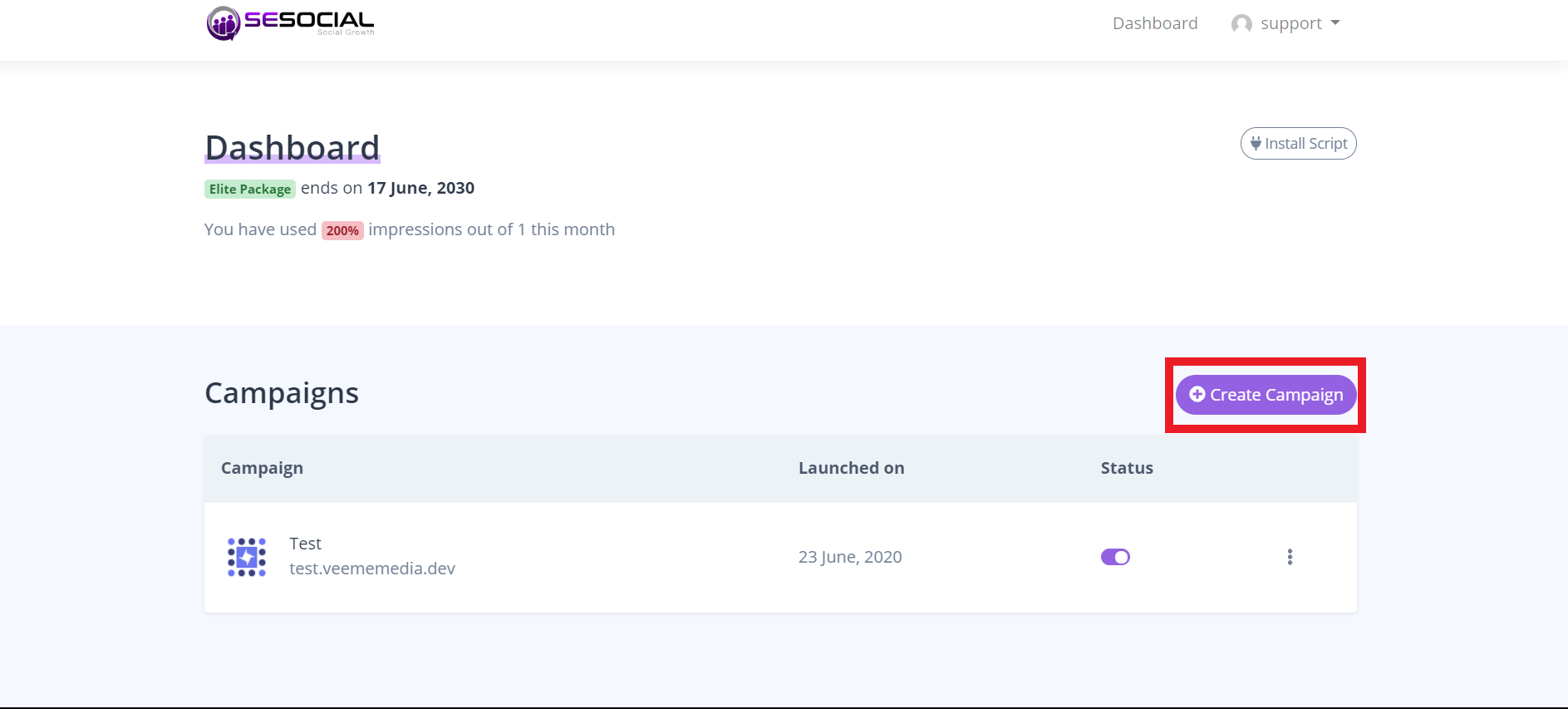
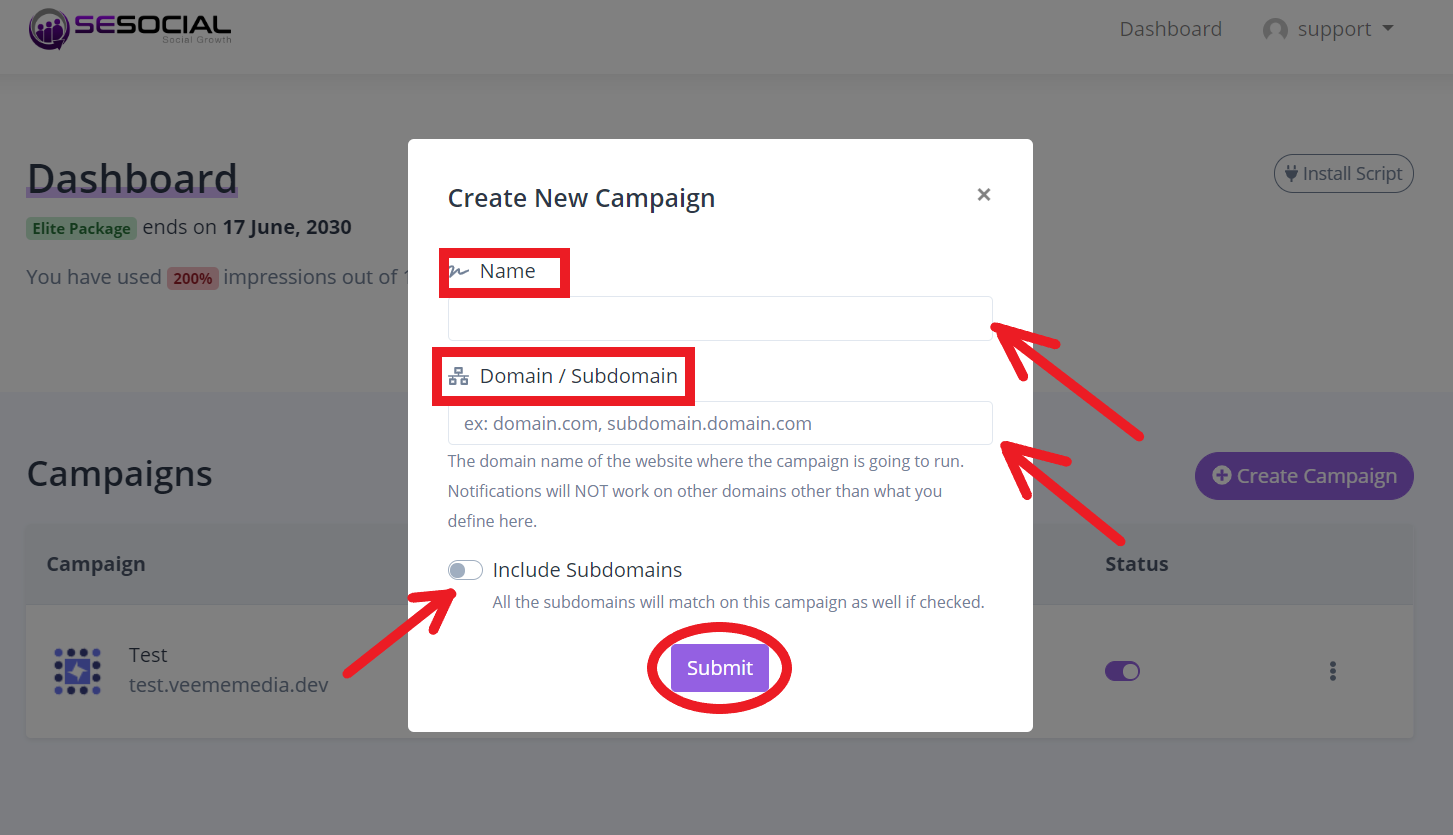
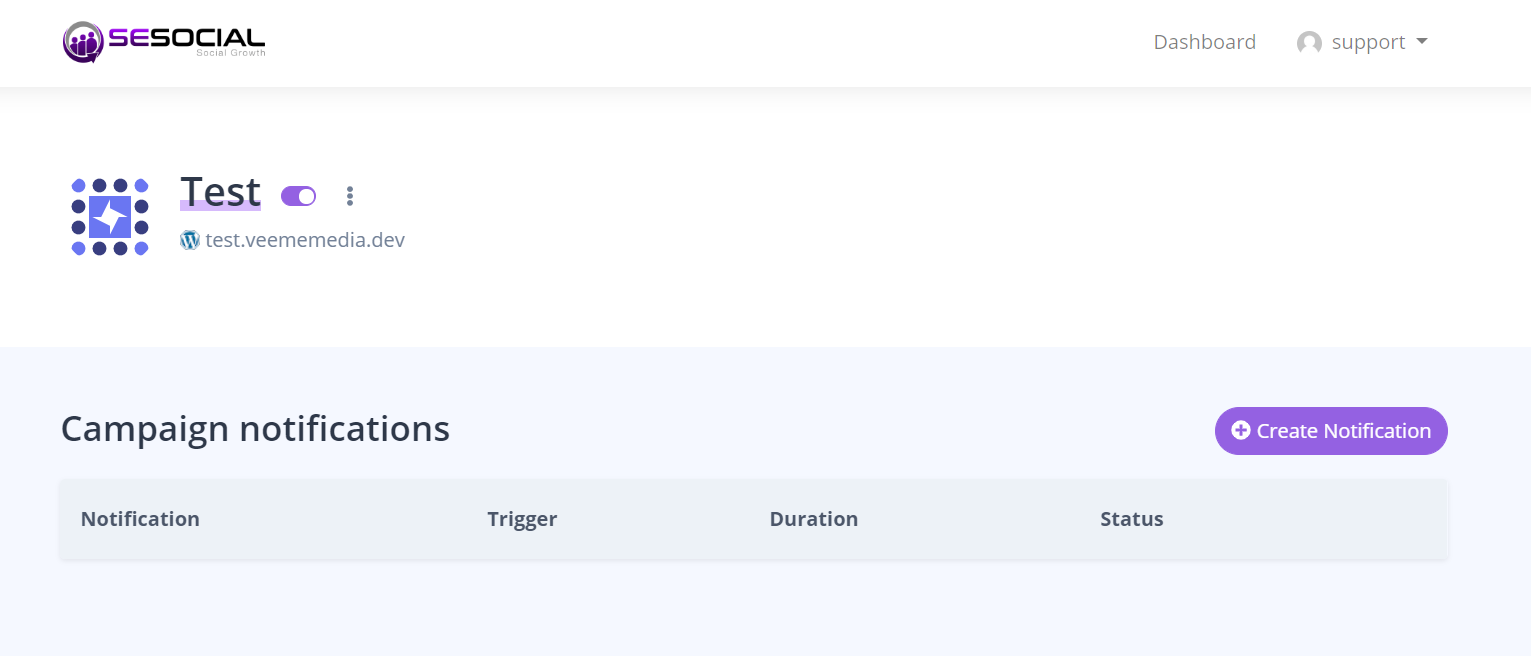
                <![CDATA[<p>Click the "Create campaign" in your dashboard.</p><p><br /></p><p><img src="https://support-hub--assets.s3.eu-west-2.amazonaws.com/assets/248/images/QdRlQ3qHyTyg1Fg0XpR2bUF6tYhuJ7G3l2vuXJ9N.png" style="width:580.482px;height:262.4px;" alt="QdRlQ3qHyTyg1Fg0XpR2bUF6tYhuJ7G3l2vuXJ9N.png" /></p><p><br /></p><p>Enter your "Campaign name" and your "Domain and Sub-domain".</p><p>and click the "Include subdomains"</p><p><img src="https://support-hub--assets.s3.eu-west-2.amazonaws.com/assets/248/images/ChM7ASMJOPgwZ0wolslEvFboekW0PTPgMTFqM7yq.png" style="width:545.72px;height:313.6px;" alt="ChM7ASMJOPgwZ0wolslEvFboekW0PTPgMTFqM7yq.png" /><br /></p><p><br /></p><p>After putting your campaign details this is your campaign dashboard.</p><p><img src="https://support-hub--assets.s3.eu-west-2.amazonaws.com/assets/248/images/2IuwEZy1CIVRFC9prQxTqo9FcSvyD54LPdw7iefa.png" style="width:571.6px;height:244.918px;" alt="2IuwEZy1CIVRFC9prQxTqo9FcSvyD54LPdw7iefa.png" /><br /></p><p><br /></p><p><br /></p><p><br /></p><p><br /></p><p><br /></p><p><br /></p><p><br /></p>]]>
            </summary>
                                    <updated>2020-06-29T00:43:35+00:00</updated>
        </entry>
            <entry>
            <title><![CDATA[How to create notification in your campaign?]]></title>
            <link rel="alternate" href="https://veememedia.support-hub.io/articles/how-to-create-notification-in-your-campaign-1899" />
            <id>https://veememedia.support-hub.io/1899</id>
            <author>
                <name><![CDATA[Nemfa Pitogo]]></name>
            </author>
            <summary type="html">
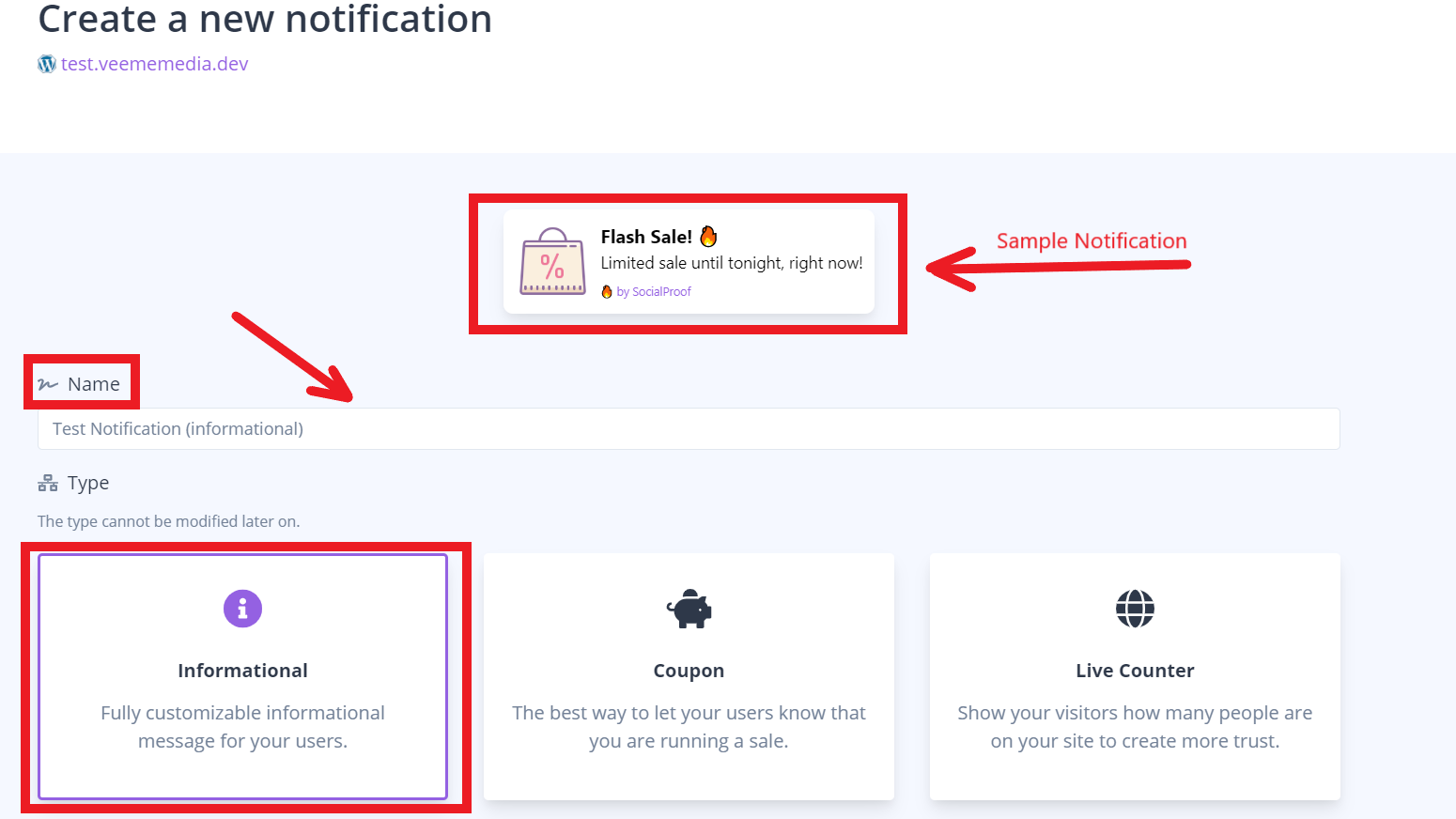
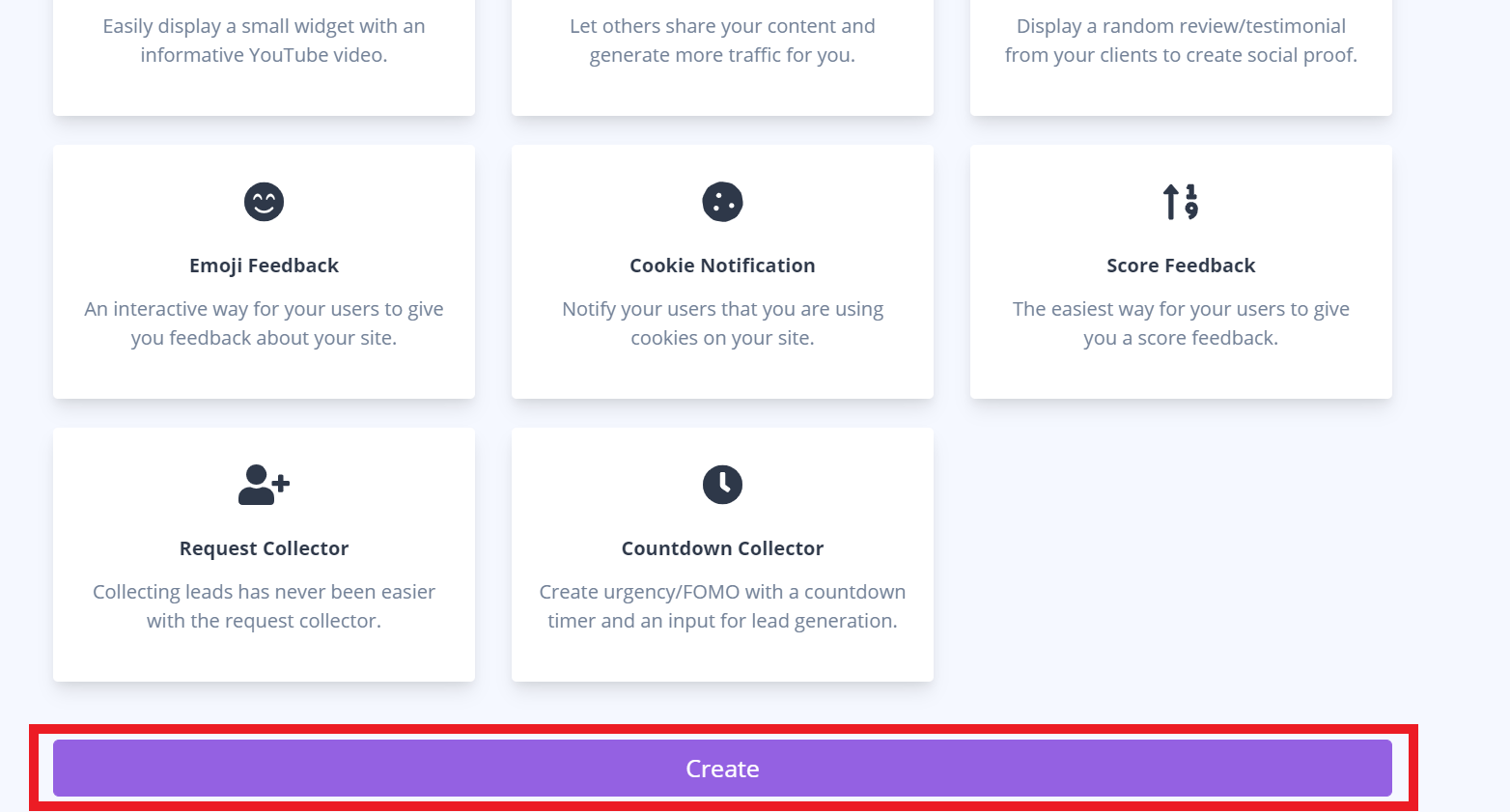
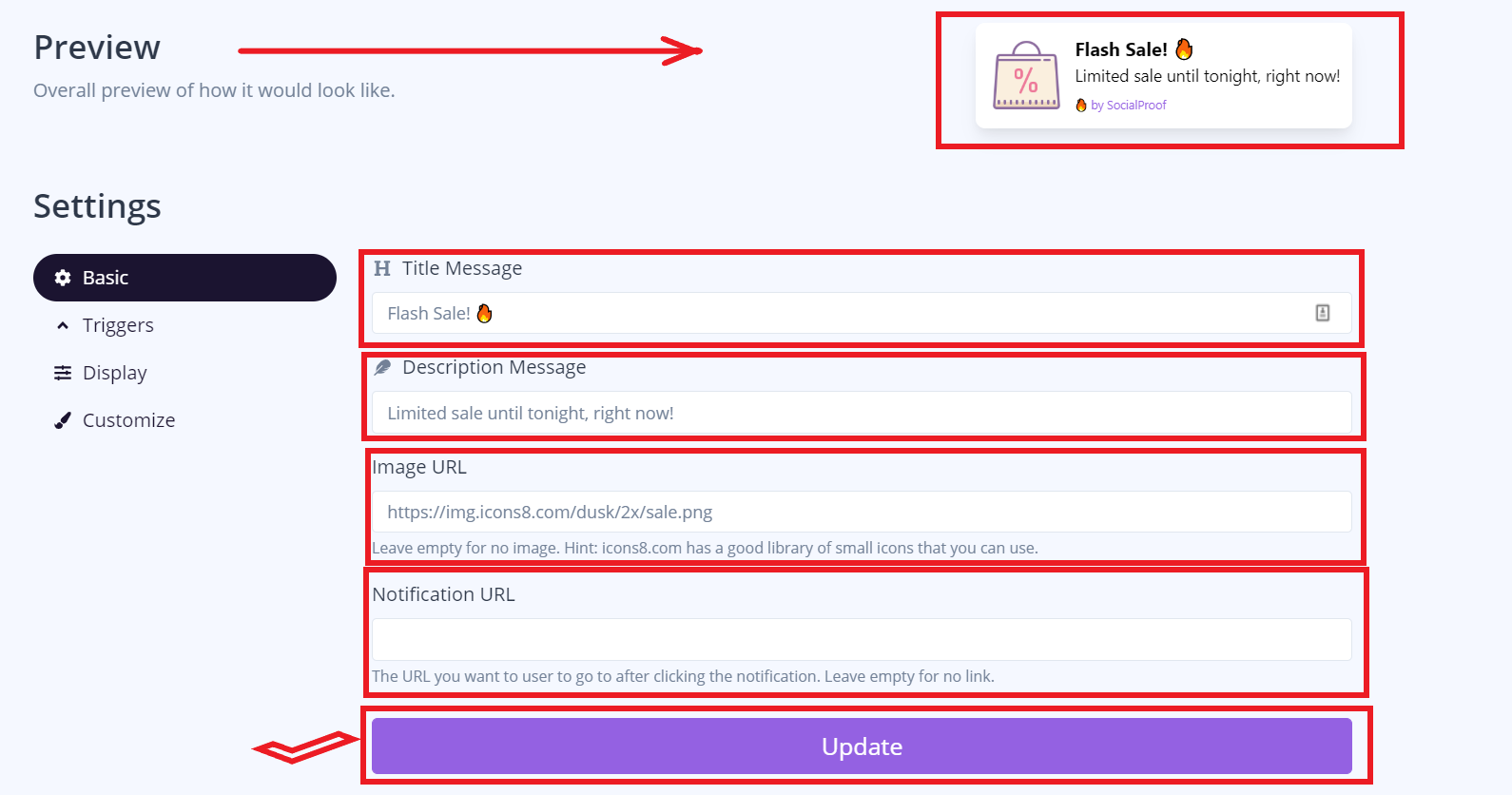
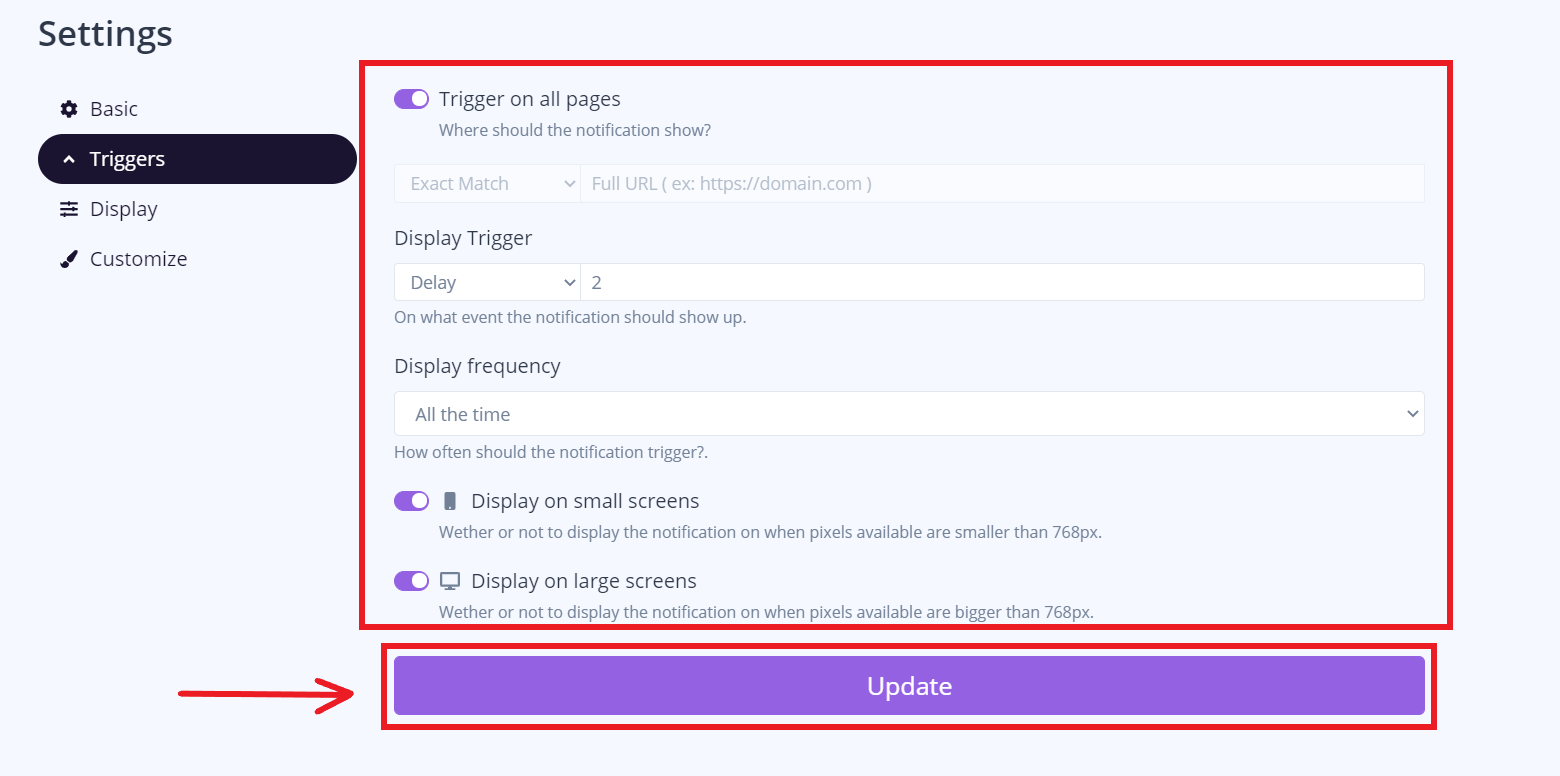
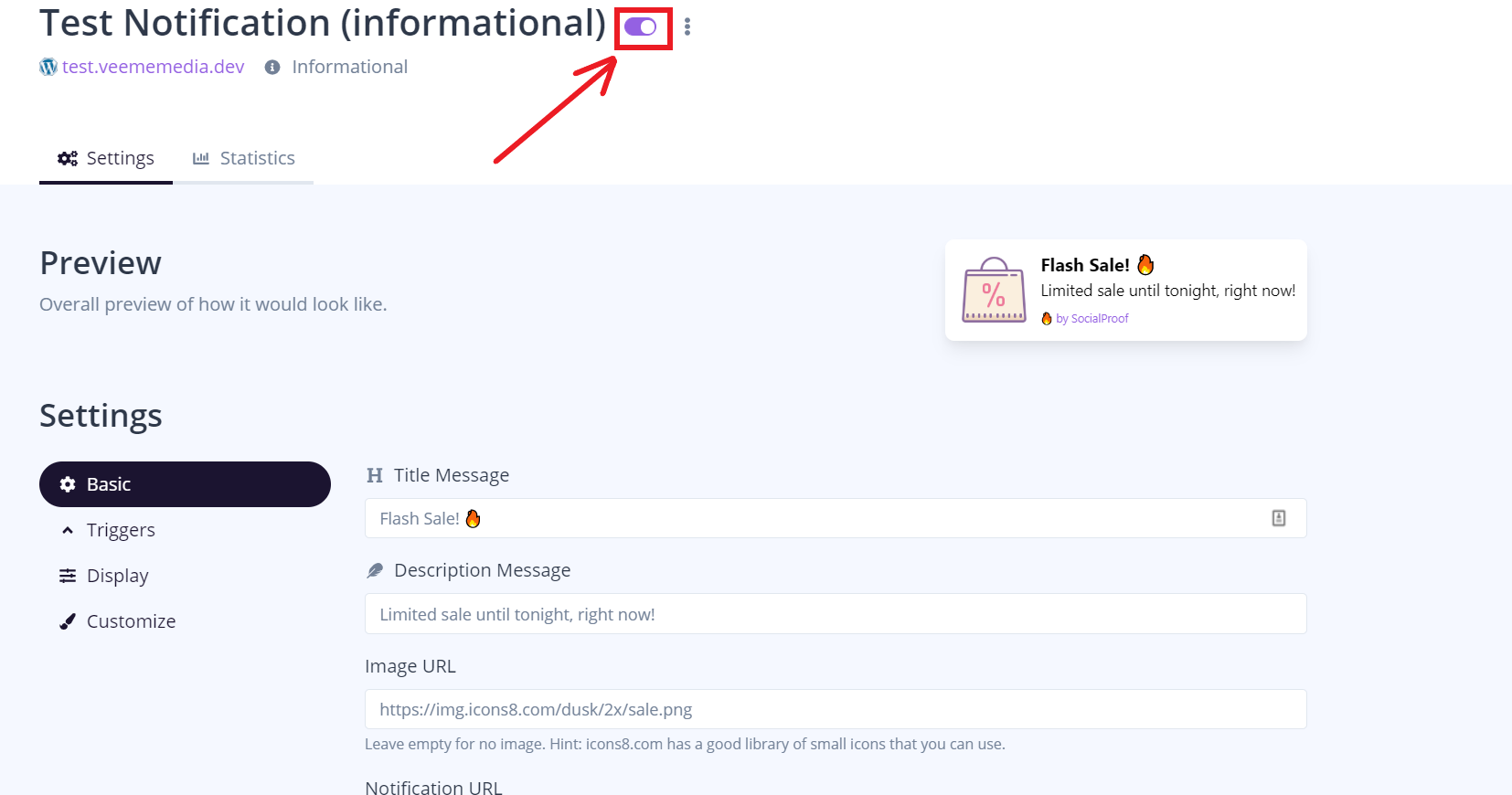
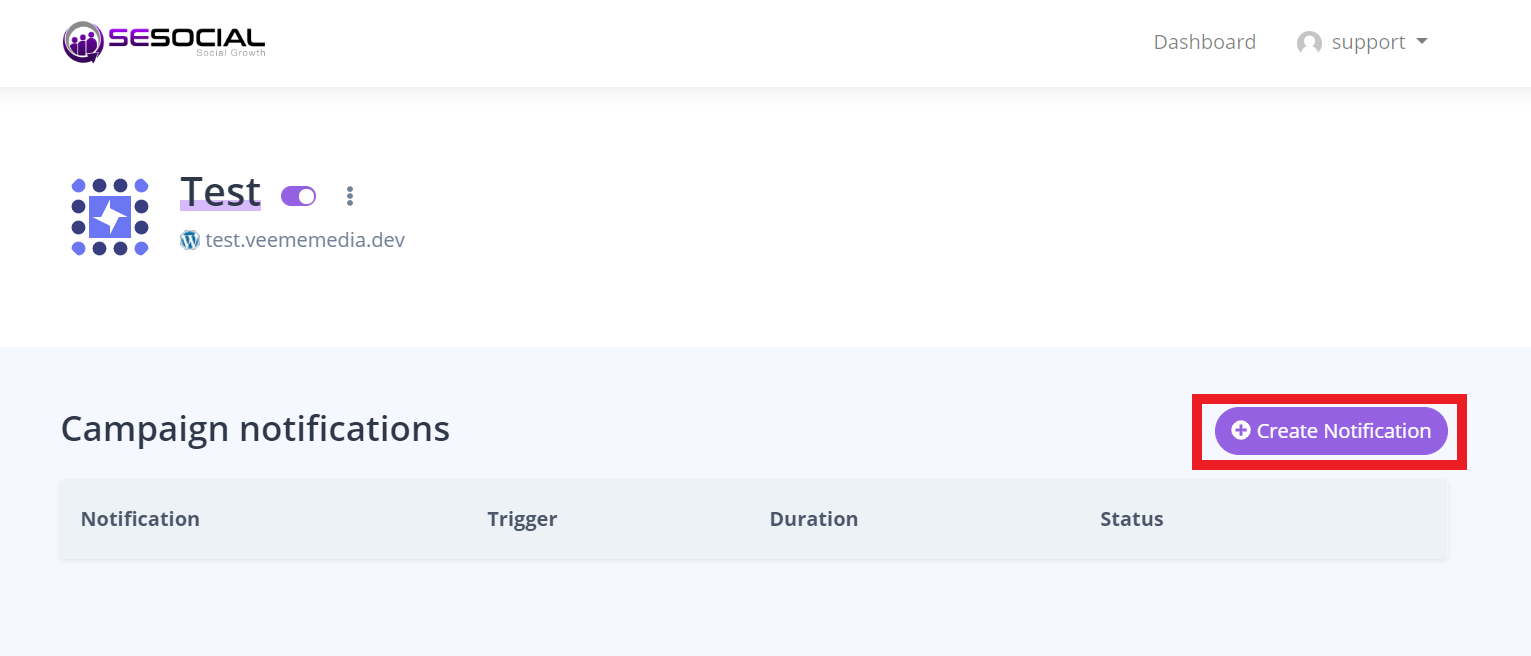
                <![CDATA[<p>Click the "Create Notification" on your dashboard.</p><p><img src="https://support-hub--assets.s3.eu-west-2.amazonaws.com/assets/248/images/RVHfGpXivV5BKPgV0lCfrMKR3kR5WL8pOWVyV4ca.png" style="width:511.113px;height:219px;" alt="RVHfGpXivV5BKPgV0lCfrMKR3kR5WL8pOWVyV4ca.png" /></p><p>2. we will create the informational notification.</p><p><img src="https://support-hub--assets.s3.eu-west-2.amazonaws.com/assets/248/images/83hKrgzGNdcui9kghRacKGx2yvMOWV3jWe1gD03a.png" style="width:514.6px;height:289.501px;" alt="83hKrgzGNdcui9kghRacKGx2yvMOWV3jWe1gD03a.png" /></p><p><br /></p><p>3. click create at the bottom part.</p><p><img src="https://support-hub--assets.s3.eu-west-2.amazonaws.com/assets/248/images/et50HM8W26zZhSRsxwTI6ArPHFuEsFlRbORuQy8T.png" style="width:516.6px;height:277.78px;" alt="et50HM8W26zZhSRsxwTI6ArPHFuEsFlRbORuQy8T.png" /></p><p><br /></p><p>4. This section allows you to change the title message, description message, image URL, and notification URL. Click update once you're done.</p><p><img src="https://support-hub--assets.s3.eu-west-2.amazonaws.com/assets/248/images/Z1pPfzlWJyghrsPyzuv6R2bujTzqx4jyk7KNbRzs.png" style="width:503.6px;height:264.773px;" alt="Z1pPfzlWJyghrsPyzuv6R2bujTzqx4jyk7KNbRzs.png" /></p><p><br /></p><p>5. This section allows you to what will trigger your notification. Click update once you're done.</p><p><img src="https://support-hub--assets.s3.eu-west-2.amazonaws.com/assets/248/images/TQt4sKT0ZlHjfziXSV0TXgoIx1RdSA8mJItj4qNB.png" style="width:522.615px;height:259.962px;" alt="TQt4sKT0ZlHjfziXSV0TXgoIx1RdSA8mJItj4qNB.png" /></p><p><br /></p><p>6. This section allows you to manage where and when is your notification will occur. once you're done click update.</p><p><br /></p><p><img src="https://support-hub--assets.s3.eu-west-2.amazonaws.com/assets/248/images/93KBRoYIJ88IpohlasUIqsm5UWmVBKWUUUUoJY8v.png" style="width:640.236px;height:276.2px;" alt="93KBRoYIJ88IpohlasUIqsm5UWmVBKWUUUUoJY8v.png" /></p><p><br /></p><p>7. This section allows you to change the title color, description color, and background color to your notification. Click update once you're done.</p><p><br /></p><p><img src="https://support-hub--assets.s3.eu-west-2.amazonaws.com/assets/248/images/16ph6Dmkk2fqH9uxxg50brqNSBWuXOZJfCSgvwm8.png" style="width:535.6px;height:305.551px;" alt="16ph6Dmkk2fqH9uxxg50brqNSBWuXOZJfCSgvwm8.png" /></p><p><br /></p><p>8. Click this button to change the activation status.</p><p><img src="https://support-hub--assets.s3.eu-west-2.amazonaws.com/assets/248/images/FFkGKSBMRPOjRJGf6dZBIAoHKPLB0p5qzcSLLTuq.png" style="width:609.251px;height:320.462px;" alt="FFkGKSBMRPOjRJGf6dZBIAoHKPLB0p5qzcSLLTuq.png" /><br /></p><p><br /></p><p><br /></p><p><br /></p><p><br /></p><p><br /></p><p><br /></p><p><br /></p><p><br /></p><p><br /></p><p><br /></p><p><br /></p><p><br /></p><p><br /></p><p><br /></p><p><br /></p><p><br /></p><p><br /></p><p><br /></p><p><br /></p><p><br /></p><p><br /></p><p><br /></p><p><br /></p><p><br /></p><p><br /></p><p><br /></p><p><br /></p><p><br /></p><p><br /></p><p><br /></p><p><br /></p><p><br /></p><p><br /></p><p><br /></p><p><br /></p><p><br /></p><p><br /></p><p><br /></p><p><br /></p>]]>
            </summary>
                                    <updated>2020-06-29T00:44:06+00:00</updated>
        </entry>
            <entry>
            <title><![CDATA[How to create coupon notification?]]></title>
            <link rel="alternate" href="https://veememedia.support-hub.io/articles/how-to-create-coupon-notification-1901" />
            <id>https://veememedia.support-hub.io/1901</id>
            <author>
                <name><![CDATA[Nemfa Pitogo]]></name>
            </author>
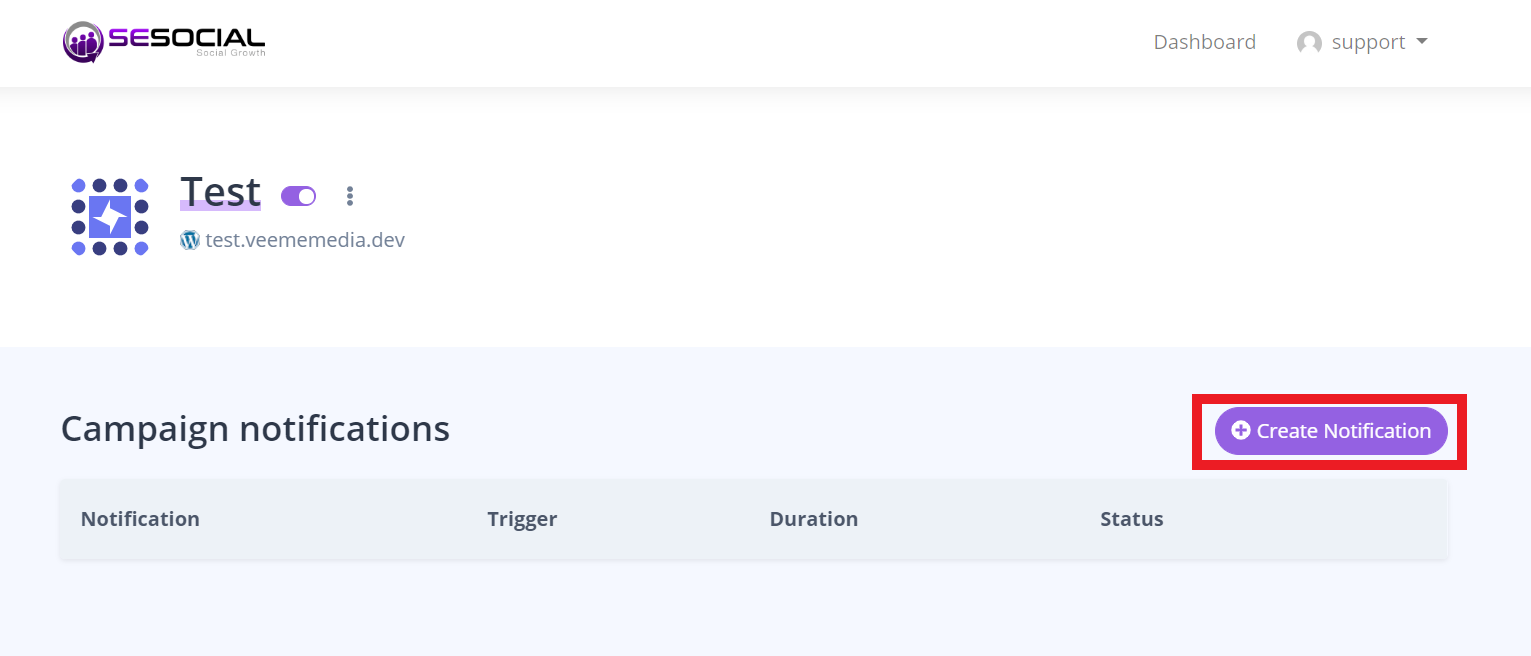
            <summary type="html">
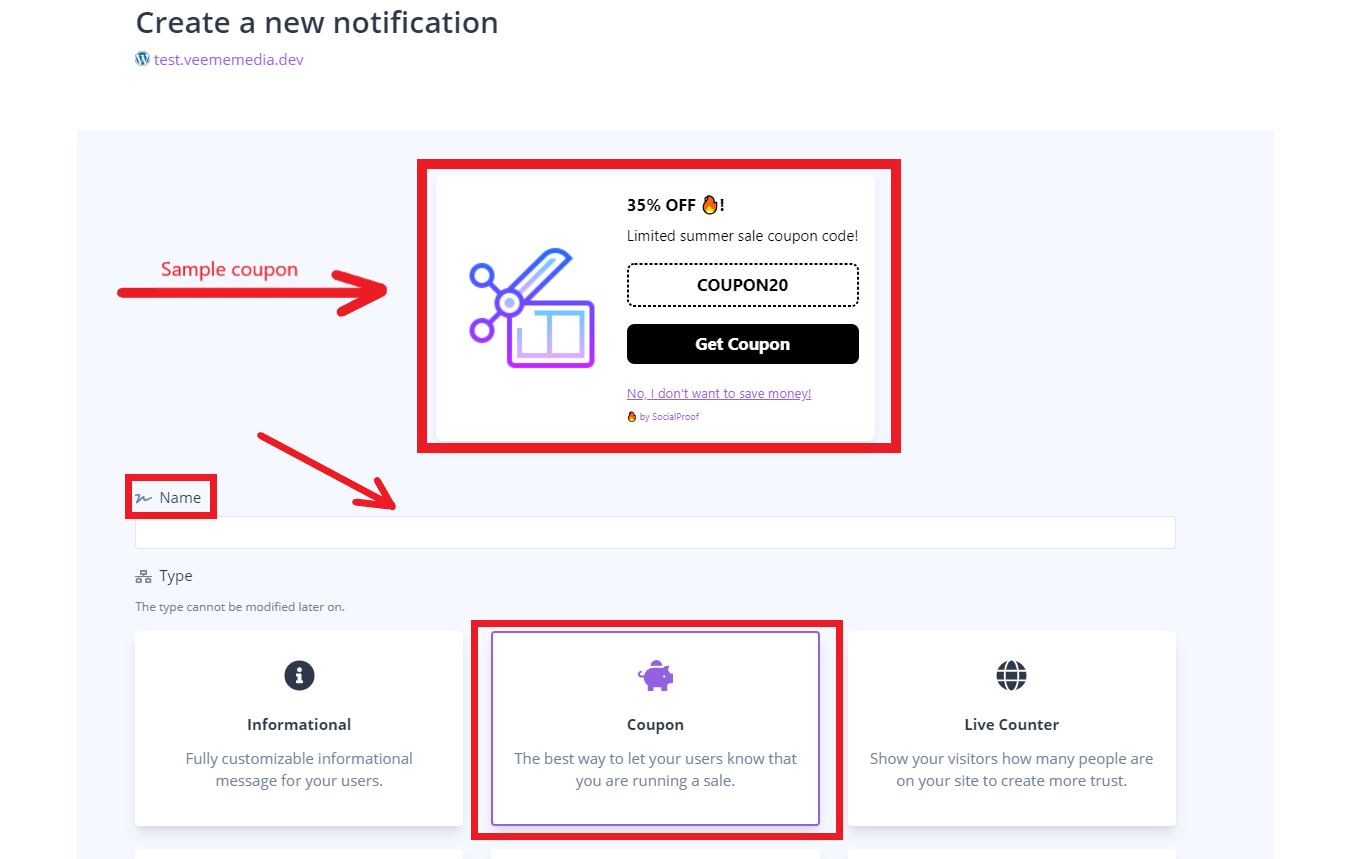
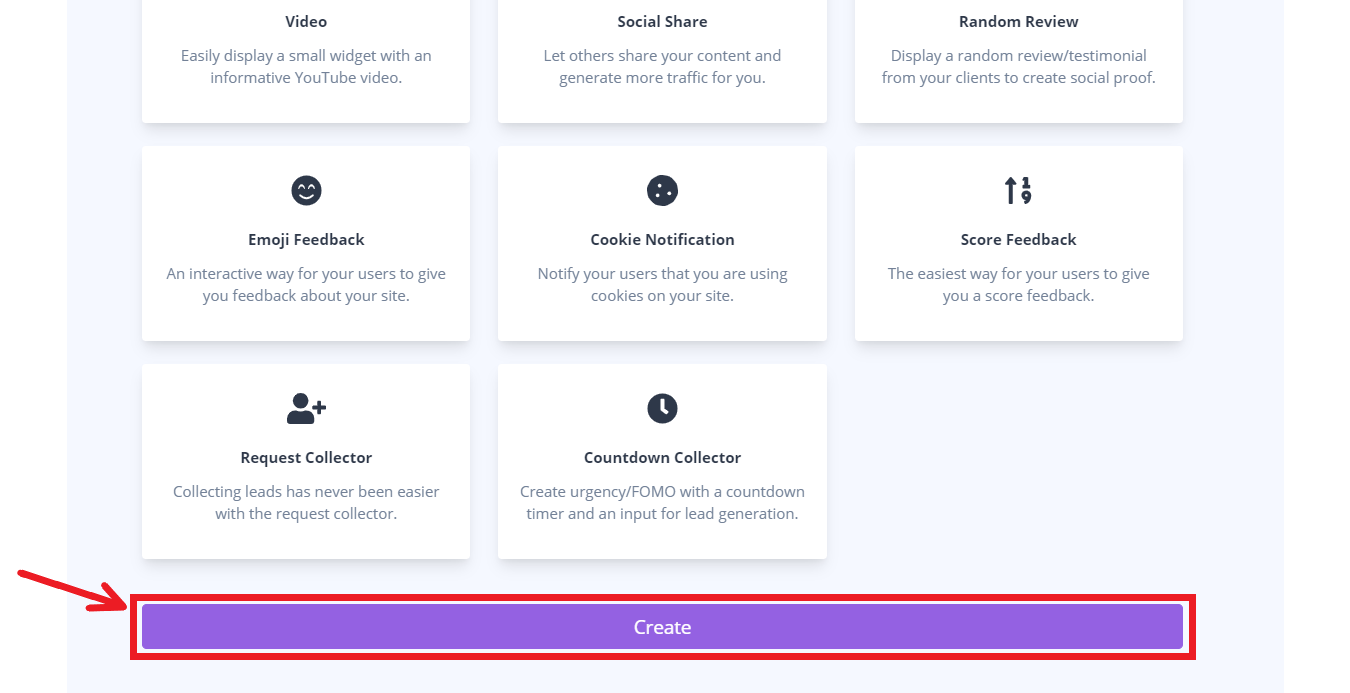
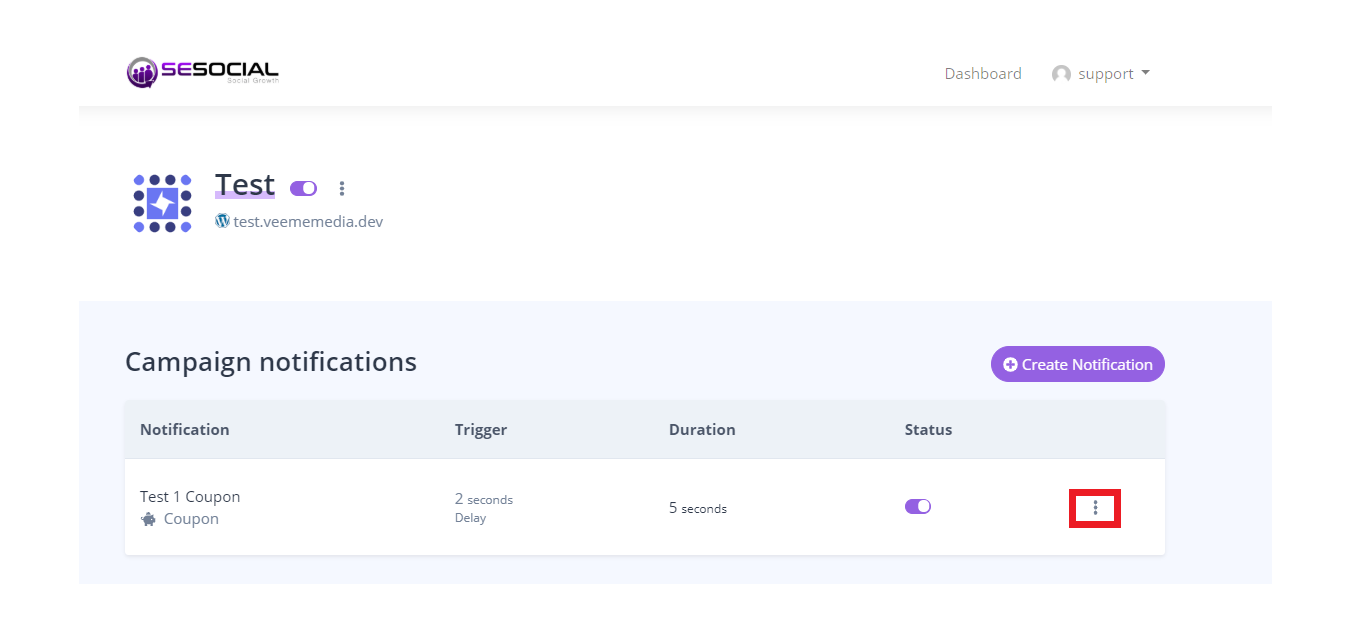
                <![CDATA[<p>Click "Create Notification" on your dashboard.</p><p><img src="https://support-hub--assets.s3.eu-west-2.amazonaws.com/assets/248/images/z13kXtdyr8iJU6k03HRsFowWCoA4yHVaXBDzJMiP.png" style="width:620.337px;height:265.8px;" alt="z13kXtdyr8iJU6k03HRsFowWCoA4yHVaXBDzJMiP.png" /></p><p><br /></p><p>Select the "Coupon" button and enter the name of your coupon.</p><p><img src="https://support-hub--assets.s3.eu-west-2.amazonaws.com/assets/248/images/us2jMjraLlCDHW3bBZz7hPxDHNMnIqt555KhUlSp.png" style="width:541.6px;height:344.604px;" alt="us2jMjraLlCDHW3bBZz7hPxDHNMnIqt555KhUlSp.png" /></p><p>Then click "Create".</p><p><img src="https://support-hub--assets.s3.eu-west-2.amazonaws.com/assets/248/images/zzqZkIzJxe1qaFU8vVy36R2ioroPty67uqiS3v3F.png" style="width:510.024px;height:261.8px;" alt="zzqZkIzJxe1qaFU8vVy36R2ioroPty67uqiS3v3F.png" /><br /></p><p><br /></p><p><br /></p><p><br /></p><p><br /></p><p><br /></p><p><br /></p><p><br /></p><p><br /></p><p><br /></p><p><br /></p><p><br /></p><p><br /></p><p><br /></p>]]>
            </summary>
                                    <updated>2020-06-29T00:44:19+00:00</updated>
        </entry>
            <entry>
            <title><![CDATA[How to delete Notification?]]></title>
            <link rel="alternate" href="https://veememedia.support-hub.io/articles/how-to-delete-notification-1902" />
            <id>https://veememedia.support-hub.io/1902</id>
            <author>
                <name><![CDATA[Nemfa Pitogo]]></name>
            </author>
            <summary type="html">
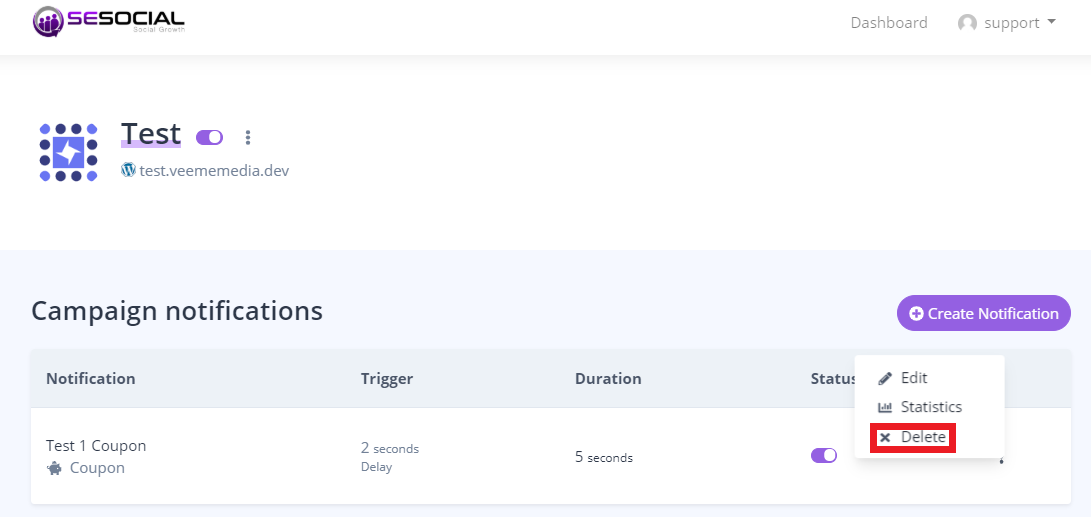
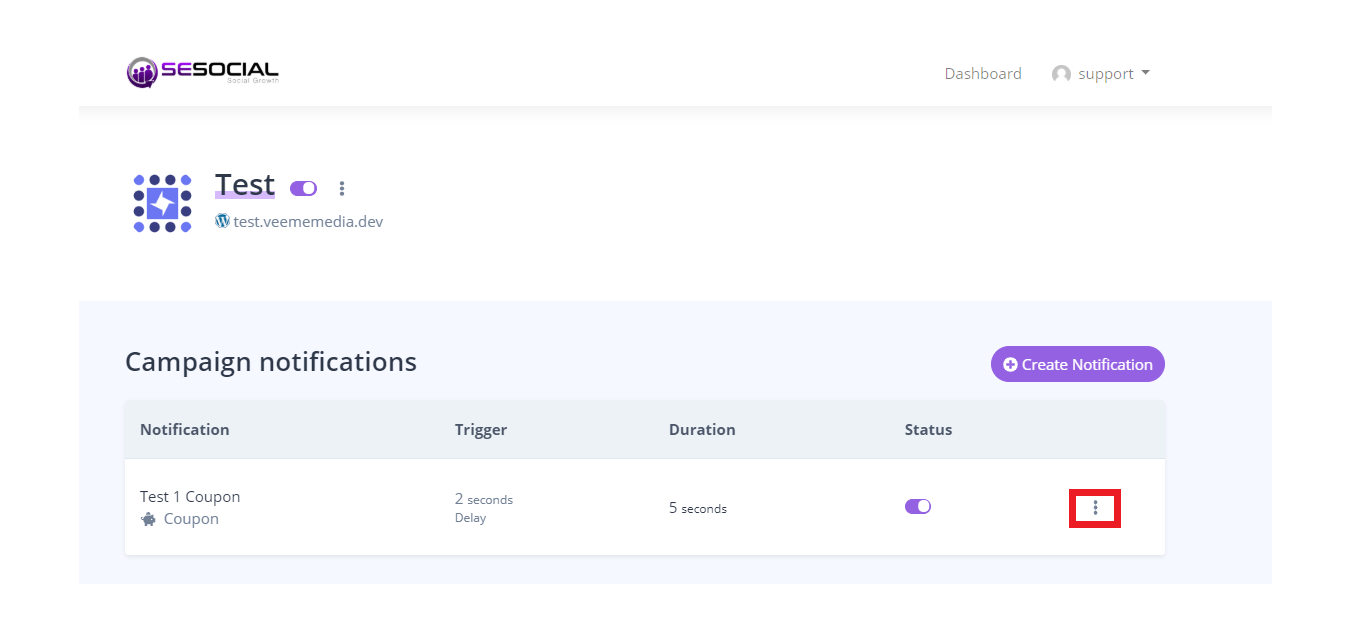
                <![CDATA[<p>Select the Notification that you want to delete, and click the three dots on the right side of the notification.</p><p><img src="https://support-hub--assets.s3.eu-west-2.amazonaws.com/assets/248/images/NoqhsW6RUn6g4BqR4RIWJYn6BnkwWLQfggNP6ABo.png" style="width:625.849px;height:291.6px;" alt="NoqhsW6RUn6g4BqR4RIWJYn6BnkwWLQfggNP6ABo.png" /></p><p>Click "Delete"</p><p><img src="https://support-hub--assets.s3.eu-west-2.amazonaws.com/assets/248/images/RBtScmL2BATroFwQQRbUs1eDnsLO2kYdT6zQCWlH.png" style="width:587.6px;height:278.446px;" alt="RBtScmL2BATroFwQQRbUs1eDnsLO2kYdT6zQCWlH.png" /><br /></p><p><br /></p><p><br /></p><p><br /></p><p><br /></p>]]>
            </summary>
                                    <updated>2020-06-29T00:44:30+00:00</updated>
        </entry>
            <entry>
            <title><![CDATA[How to Edit your notification?]]></title>
            <link rel="alternate" href="https://veememedia.support-hub.io/articles/how-to-edit-your-notification-1903" />
            <id>https://veememedia.support-hub.io/1903</id>
            <author>
                <name><![CDATA[Nemfa Pitogo]]></name>
            </author>
            <summary type="html">
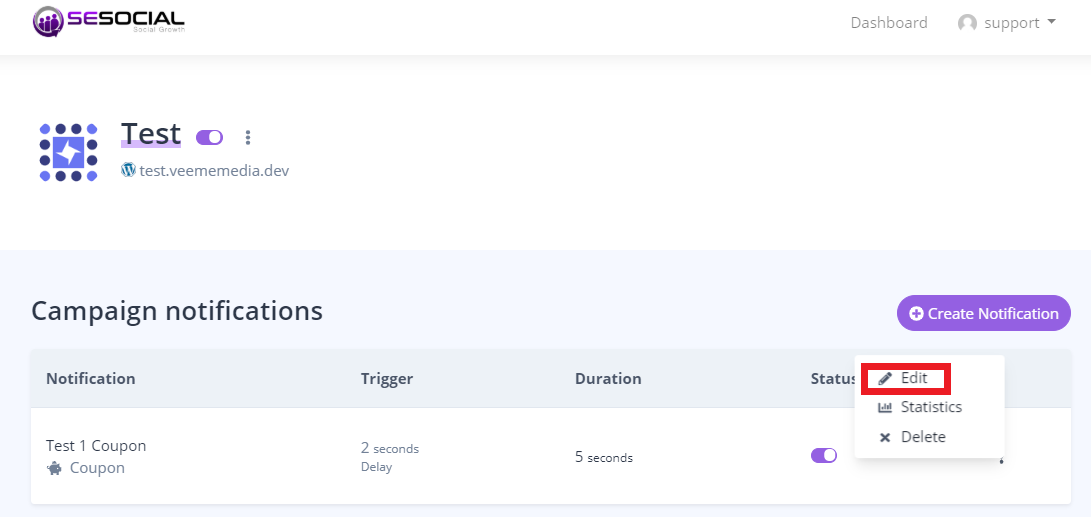
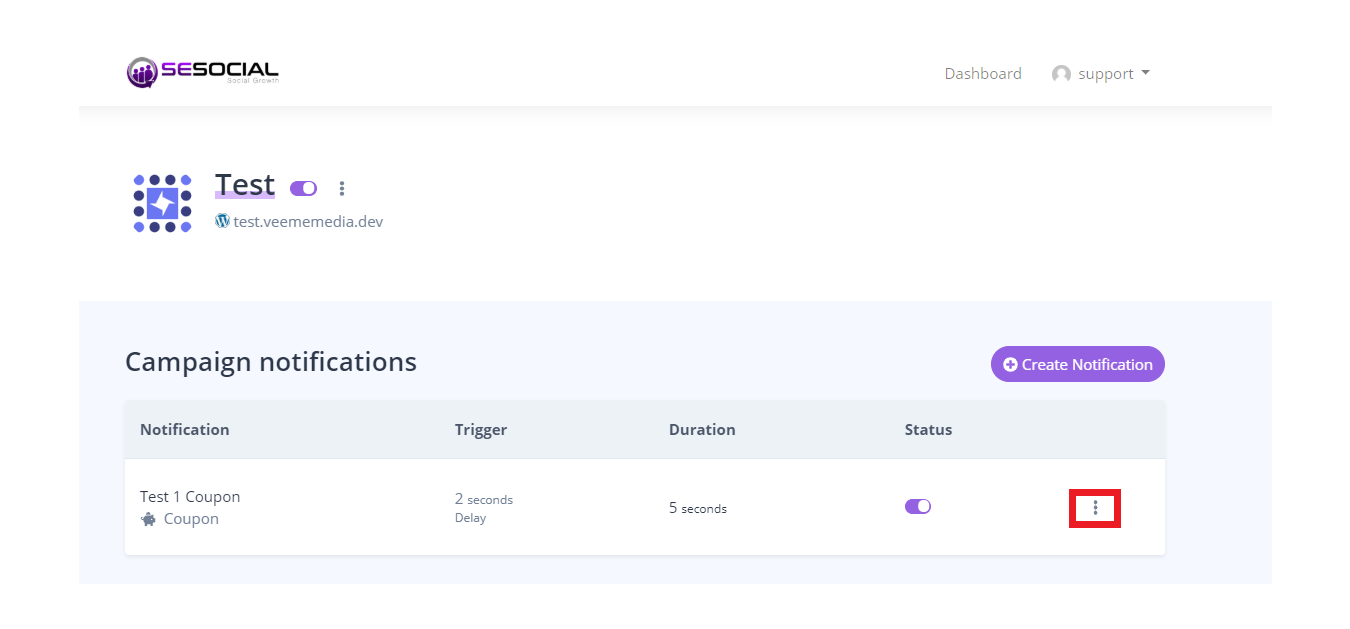
                <![CDATA[<p>Select the notification that you want to edit, then click the three dots on the right side of the notification.</p><p><br /></p><p><img src="https://support-hub--assets.s3.eu-west-2.amazonaws.com/assets/248/images/HZP4kxUXDfrSnyDfTKJTTGptCqmIktwWarvEyEes.png" style="width:602.6px;height:280.768px;" alt="HZP4kxUXDfrSnyDfTKJTTGptCqmIktwWarvEyEes.png" /></p><p><br /></p><p>Select "Edit"</p><p><img src="https://support-hub--assets.s3.eu-west-2.amazonaws.com/assets/248/images/EgeWcTpMzOx4Is2O1yr6FmY3BaBl04esOewkqolw.png" style="width:595.6px;height:282.237px;" alt="EgeWcTpMzOx4Is2O1yr6FmY3BaBl04esOewkqolw.png" /><br /></p>]]>
            </summary>
                                    <updated>2020-06-29T00:44:42+00:00</updated>
        </entry>
            <entry>
            <title><![CDATA[How to Check your Statistics in your notification?]]></title>
            <link rel="alternate" href="https://veememedia.support-hub.io/articles/how-to-check-your-statistics-in-your-notification-1904" />
            <id>https://veememedia.support-hub.io/1904</id>
            <author>
                <name><![CDATA[Nemfa Pitogo]]></name>
            </author>
            <summary type="html">
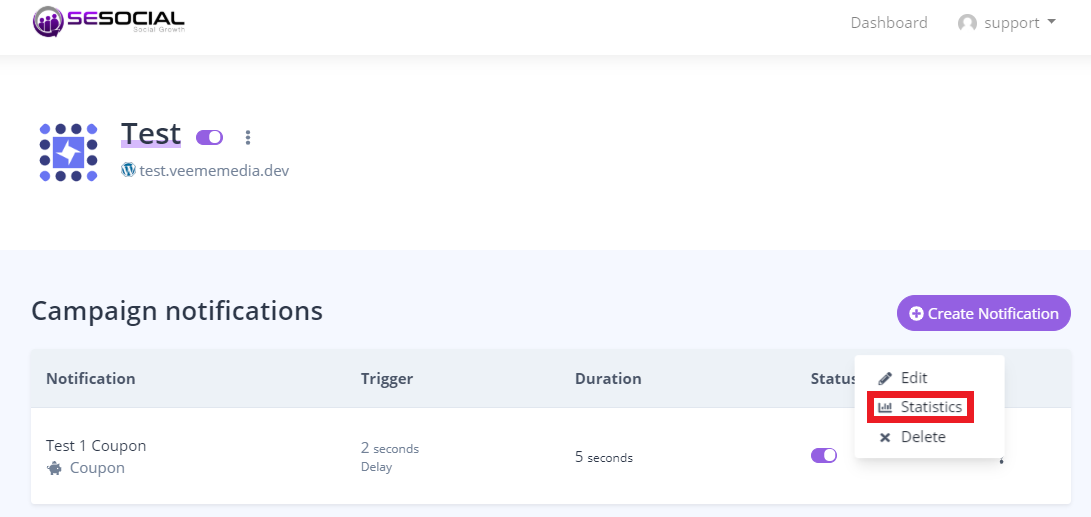
                <![CDATA[<p>Click the three dots on the right side of your notification.</p><p><img src="https://support-hub--assets.s3.eu-west-2.amazonaws.com/assets/248/images/TaMkNfNF3RTWXkHWpNTmboxChPAtFH6PCbpRLkMn.png" style="width:671.35px;height:312.8px;" alt="TaMkNfNF3RTWXkHWpNTmboxChPAtFH6PCbpRLkMn.png" /></p><p>Click "Statistics"</p><p><img src="https://support-hub--assets.s3.eu-west-2.amazonaws.com/assets/248/images/H4awG8EQ0eSidVSIRFupnu4ZWamRncMOdamssLor.png" style="width:643.6px;height:304.983px;" alt="H4awG8EQ0eSidVSIRFupnu4ZWamRncMOdamssLor.png" /><br /></p><p><br /></p><p><br /></p><p><br /></p><p><br /></p>]]>
            </summary>
                                    <updated>2020-06-29T00:44:53+00:00</updated>
        </entry>
            <entry>
            <title><![CDATA[How to set/edit duration?]]></title>
            <link rel="alternate" href="https://veememedia.support-hub.io/articles/how-to-setedit-duration-1905" />
            <id>https://veememedia.support-hub.io/1905</id>
            <author>
                <name><![CDATA[Nemfa Pitogo]]></name>
            </author>
            <summary type="html">
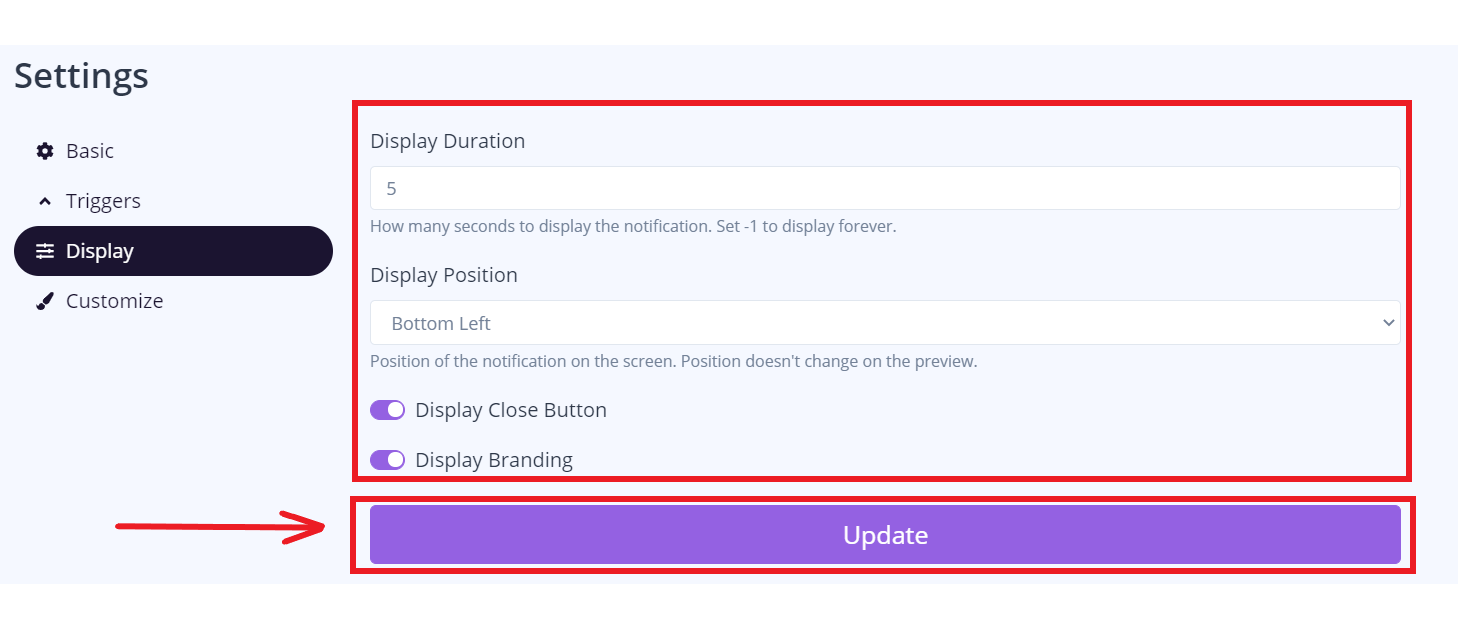
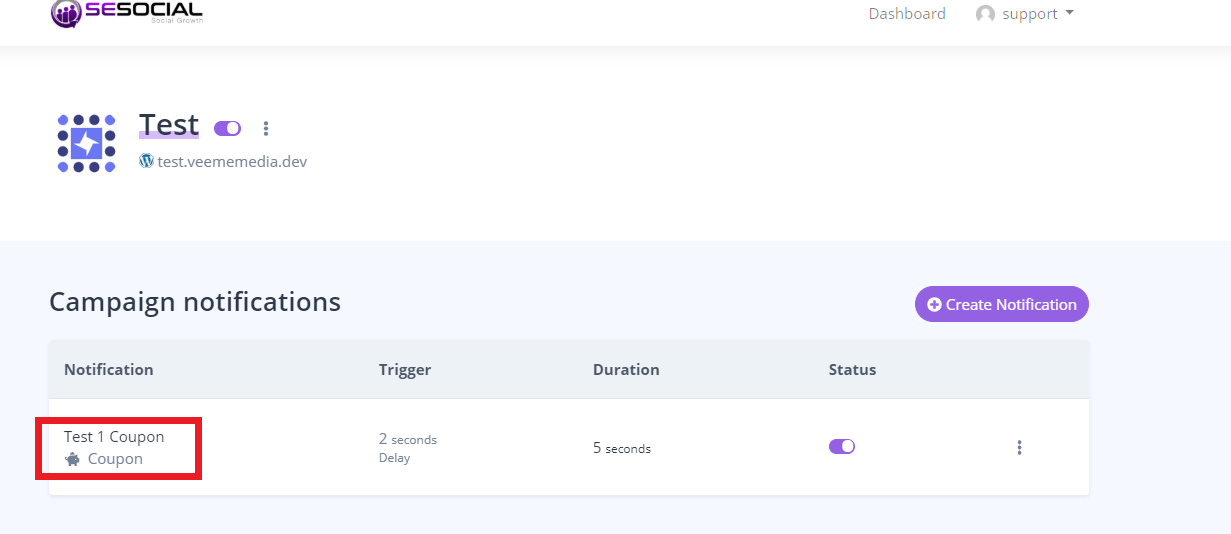
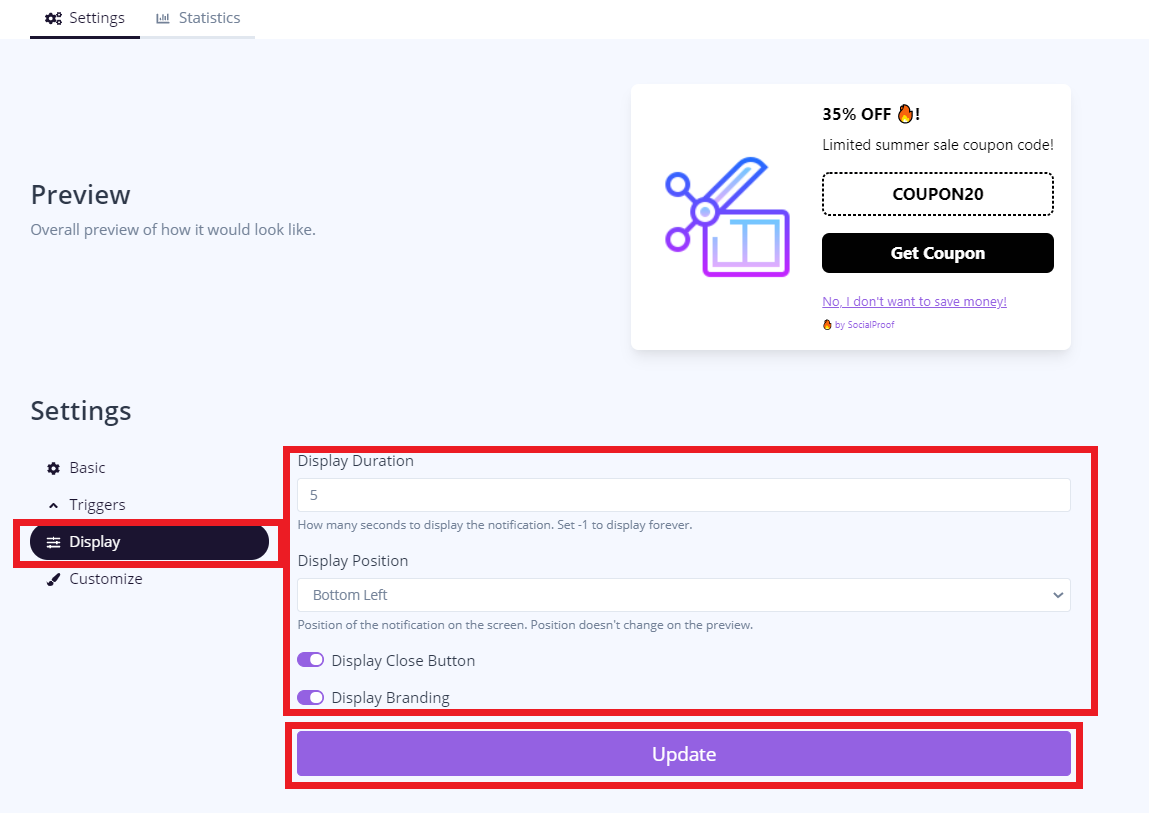
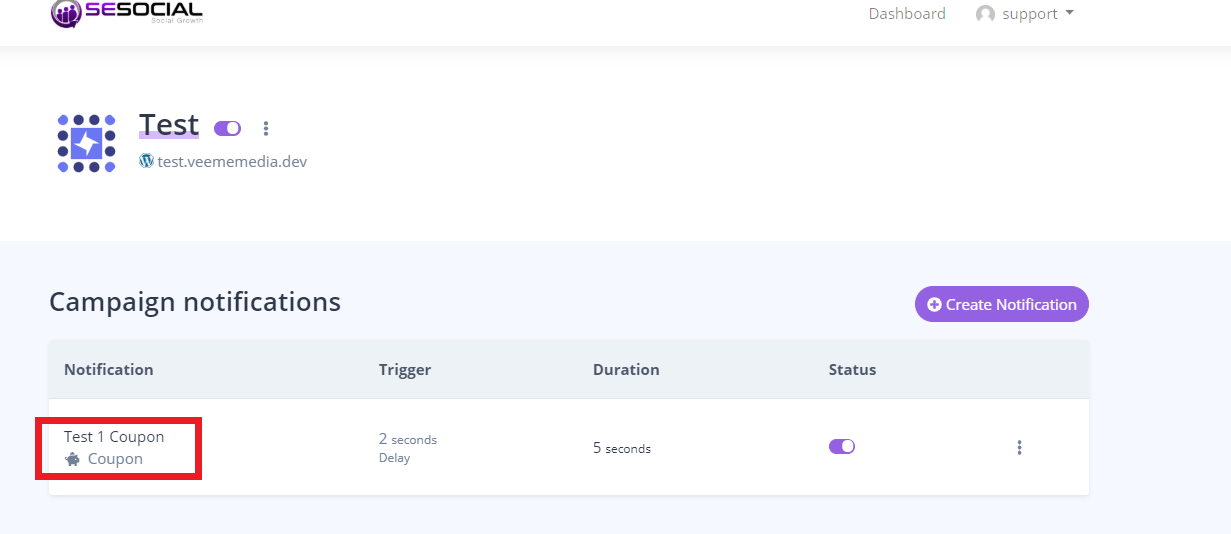
                <![CDATA[<p>Click the notification for edit.</p><p><img src="https://support-hub--assets.s3.eu-west-2.amazonaws.com/assets/248/images/NsWmlJ3NM9Jmqr35qRxbObfO25SXzm6BuAYQbMmz.png" style="width:565.269px;height:245.2px;" alt="NsWmlJ3NM9Jmqr35qRxbObfO25SXzm6BuAYQbMmz.png" /></p><p><br /></p><p>Click "Display" then you can edit or add your "display duration" and "display position", then click "Update".</p><p><img src="https://support-hub--assets.s3.eu-west-2.amazonaws.com/assets/248/images/fBwWioSZET34u9zs6UvFQVe1T3vucxweTgYNnxWW.png" style="width:539.6px;height:381.79px;" alt="fBwWioSZET34u9zs6UvFQVe1T3vucxweTgYNnxWW.png" /><br /></p>]]>
            </summary>
                                    <updated>2020-06-29T00:45:04+00:00</updated>
        </entry>
            <entry>
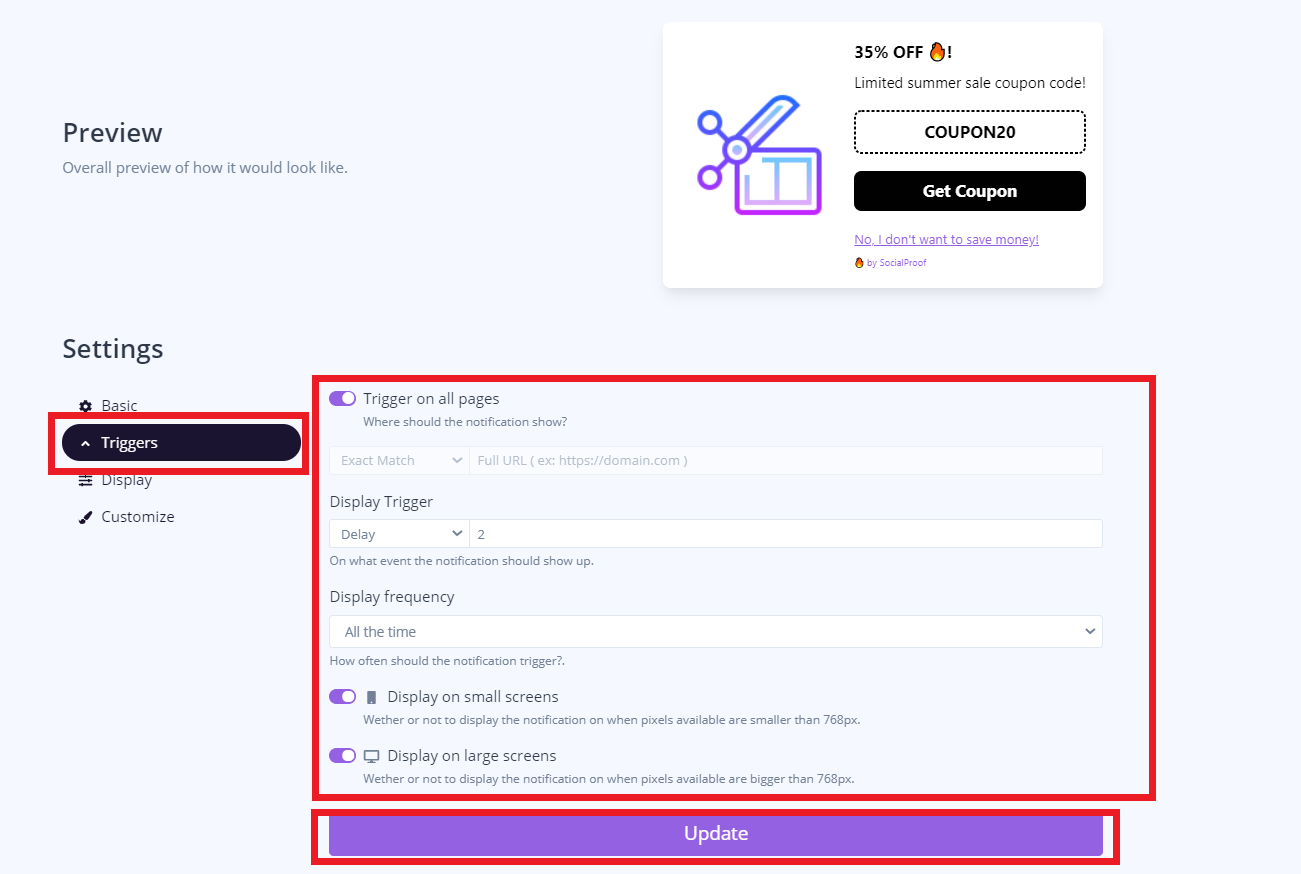
            <title><![CDATA[How to set/add display trigger and display frequency?]]></title>
            <link rel="alternate" href="https://veememedia.support-hub.io/articles/how-to-setadd-display-trigger-and-display-frequency-1906" />
            <id>https://veememedia.support-hub.io/1906</id>
            <author>
                <name><![CDATA[Nemfa Pitogo]]></name>
            </author>
            <summary type="html">
                <![CDATA[<p>Select your notification that you want to edit.</p><p><img src="https://support-hub--assets.s3.eu-west-2.amazonaws.com/assets/248/images/MZldtFtbtRLKnOTqH8GilCqx0hrHuq3W1IDHIPe6.png" style="width:500.241px;height:217px;" alt="MZldtFtbtRLKnOTqH8GilCqx0hrHuq3W1IDHIPe6.png" /></p><p>Click "Triggers" then you can edit the "Display trigger and  Display Frequency" then click "Update".</p><p><img src="https://support-hub--assets.s3.eu-west-2.amazonaws.com/assets/248/images/nhhDyXbrr8RuDeAD6L0ZZUm1CmCoPwDWrCsOQUyF.png" style="width:495.499px;height:332.862px;" alt="nhhDyXbrr8RuDeAD6L0ZZUm1CmCoPwDWrCsOQUyF.png" /><br /></p>]]>
            </summary>
                                    <updated>2020-06-29T00:45:15+00:00</updated>
        </entry>
            <entry>
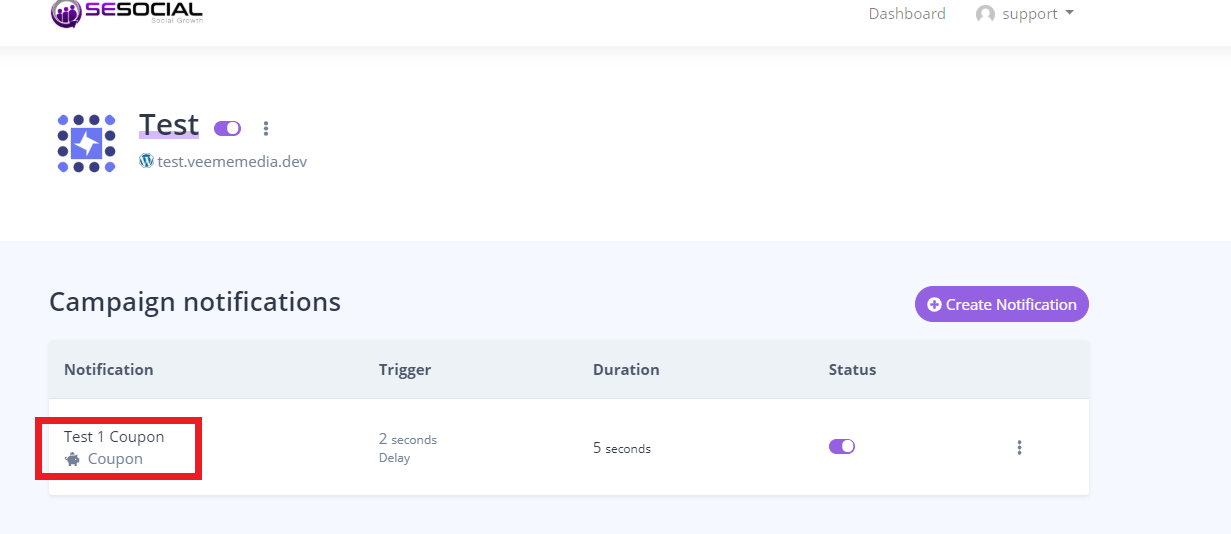
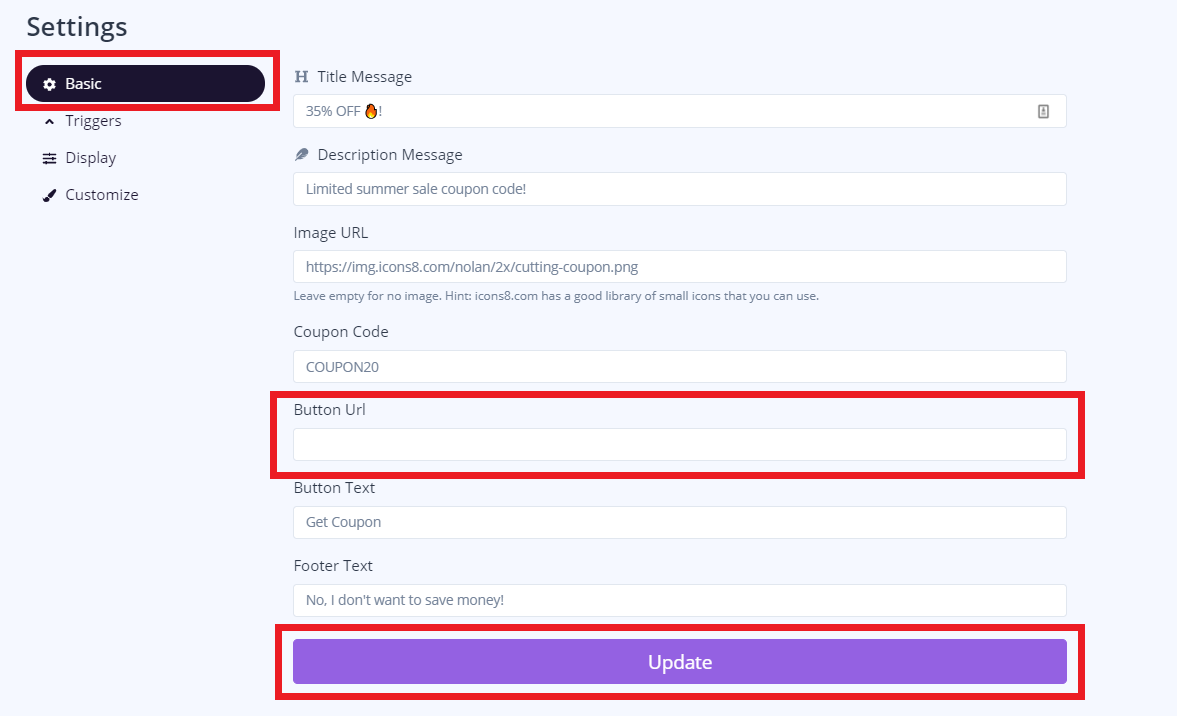
            <title><![CDATA[How to put the Notification URL?]]></title>
            <link rel="alternate" href="https://veememedia.support-hub.io/articles/how-to-put-the-notification-url-1907" />
            <id>https://veememedia.support-hub.io/1907</id>
            <author>
                <name><![CDATA[Nemfa Pitogo]]></name>
            </author>
            <summary type="html">
                <![CDATA[<p>Click the Notification that you want to edit.</p><p><img src="https://support-hub--assets.s3.eu-west-2.amazonaws.com/assets/248/images/lf4GCd09GOGL4MXC4OrC9N65XzuKjtcoN9anyejX.png" style="width:532.072px;height:230.8px;" alt="lf4GCd09GOGL4MXC4OrC9N65XzuKjtcoN9anyejX.png" /></p><p>Then click "Basic" then enter your URL in the "Button URL". Once done click "Update"</p><p> <img src="https://support-hub--assets.s3.eu-west-2.amazonaws.com/assets/248/images/6mtKXHaR7Dxm6nxk1gy8bsrJXhfsSoWrm7EqKETa.png" style="width:557.975px;height:339.419px;" alt="6mtKXHaR7Dxm6nxk1gy8bsrJXhfsSoWrm7EqKETa.png" /></p>]]>
            </summary>
                                    <updated>2020-06-29T00:45:26+00:00</updated>
        </entry>
            <entry>
            <title><![CDATA[How to edit your Title color and Background color?]]></title>
            <link rel="alternate" href="https://veememedia.support-hub.io/articles/how-to-edit-your-title-color-and-background-color-1908" />
            <id>https://veememedia.support-hub.io/1908</id>
            <author>
                <name><![CDATA[Nemfa Pitogo]]></name>
            </author>
            <summary type="html">
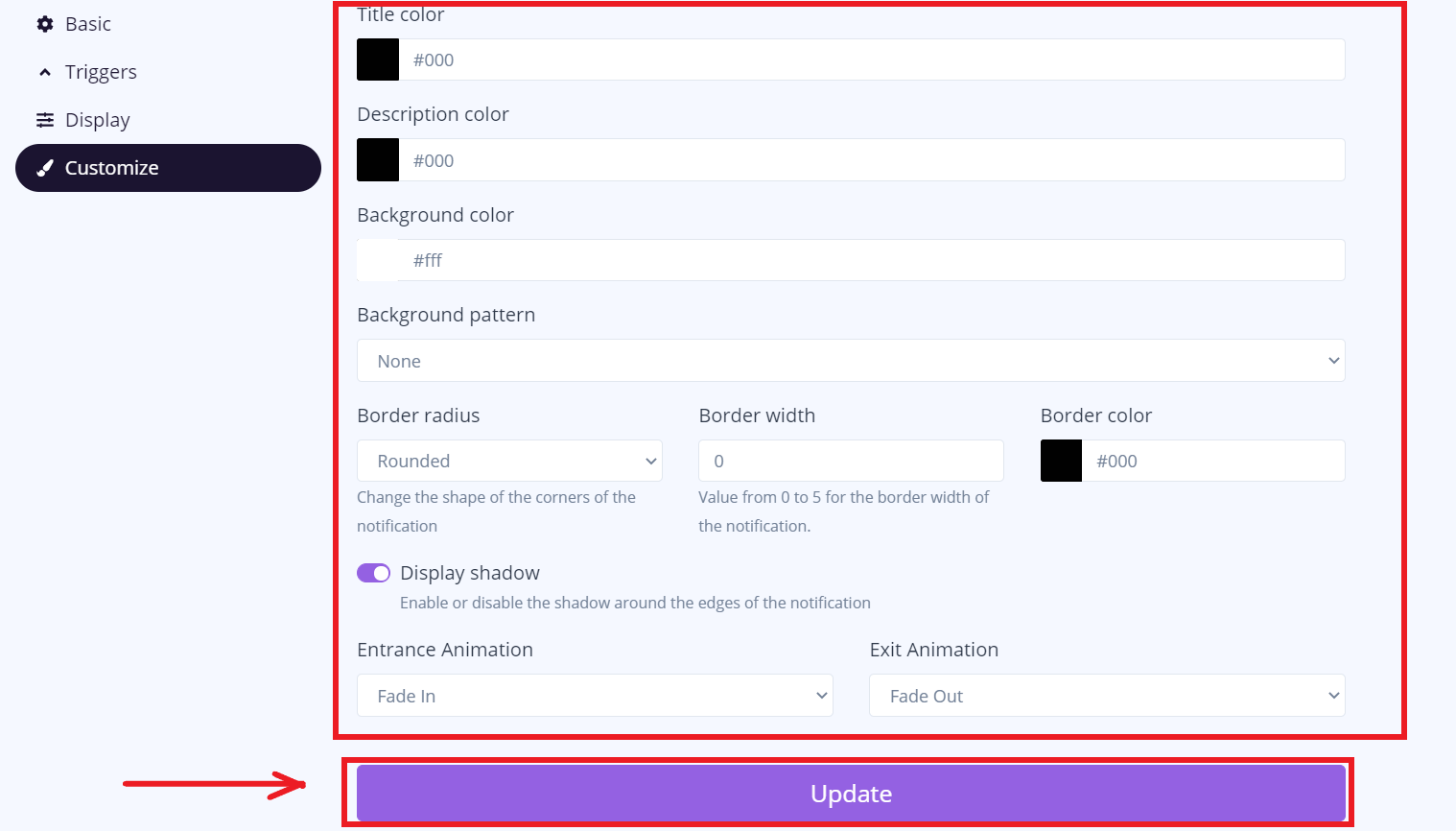
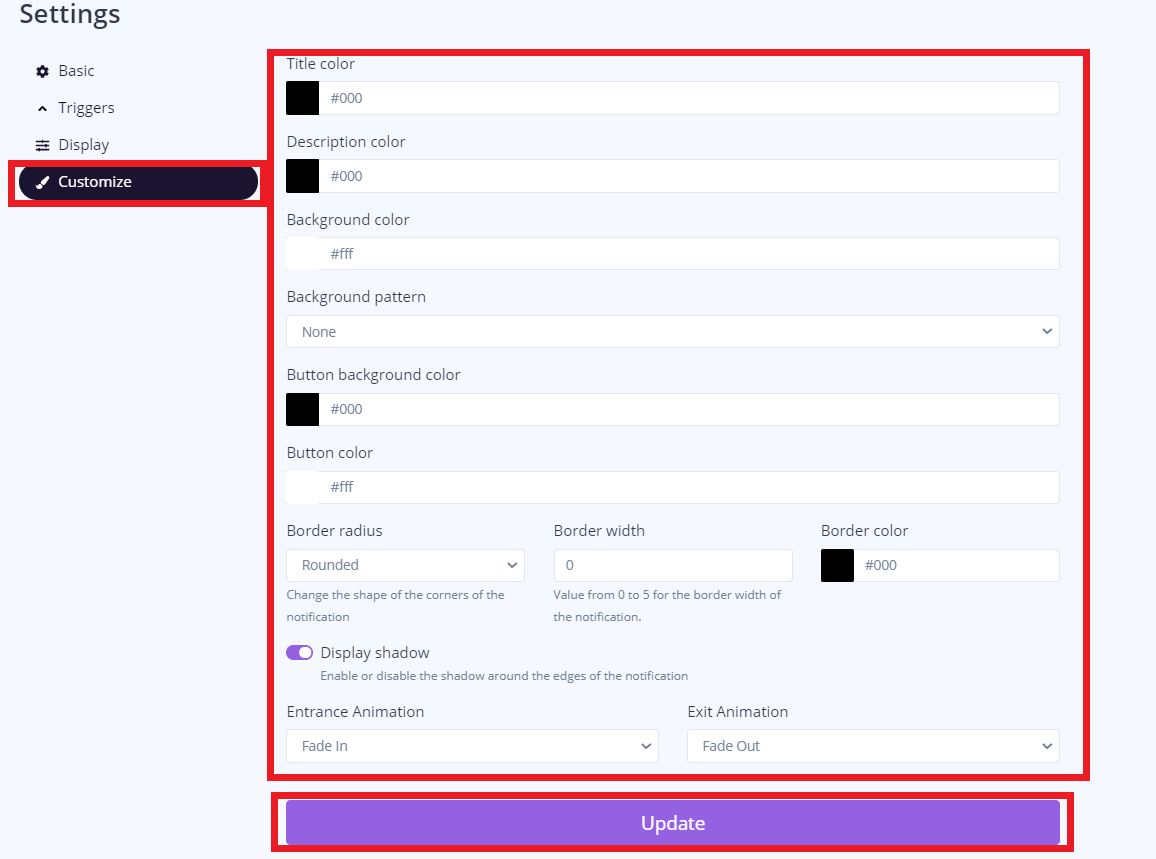
                <![CDATA[<p>Click the notification that you want to edit.</p><p><img src="https://support-hub--assets.s3.eu-west-2.amazonaws.com/assets/248/images/T7qx8gkbN0ofZtzcl5eH2GI1F4qDtEebHoHG10f9.png" style="width:629.357px;height:273px;" alt="T7qx8gkbN0ofZtzcl5eH2GI1F4qDtEebHoHG10f9.png" /></p><p>Click "Customize". In these settings, you can edit your "Title color", "Description color", "Background color".</p><p>once done click "Update"</p><p><img src="https://support-hub--assets.s3.eu-west-2.amazonaws.com/assets/248/images/889KDinVy5RtFfqWn7DLFQYDwOpv085MqEq0jKFA.png" style="width:598.6px;height:444.806px;" alt="889KDinVy5RtFfqWn7DLFQYDwOpv085MqEq0jKFA.png" /><br /></p>]]>
            </summary>
                                    <updated>2020-06-29T00:45:37+00:00</updated>
        </entry>
    </feed>